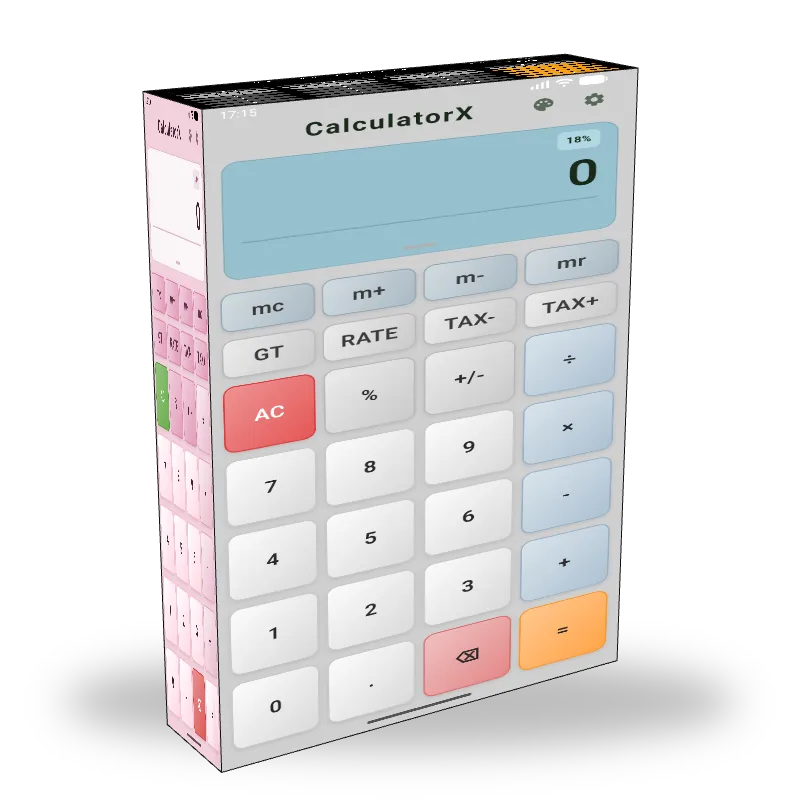
CalculatorXv1.0.8
A calculator with history, one-tap GST, lakhs / crores grouping, Grand Total memory, and 13 themes. Free, offline, and works the way you expect.Read more →
Also available on
📄 Description
CalculatorX
The everyday calculator that remembers everything.
CalculatorX is a calculator with history that does the things your phone's default calculator quietly forgot to ship — a running grand total, one-tap GST, Indian lakhs and crores grouping, real memory keys, and 13 themes ranging from a faithful Casio MJ-12 to Liquid Glass. It runs offline, exports your history as TXT or CSV.
It is the calculator app for people who actually use a calculator.
Your phone shipped a calculator. This is the one you wanted.
The default calculator on iOS gives you four functions and a single-line display. The default calculator on Android forgets your last calculation the moment you switch apps. Neither of them speaks lakhs and crores. Neither of them has a real Grand Total key. Neither lets you export anything.
CalculatorX is what happens when you stop accepting that and ship the calculator a freelancer, a small-business owner, a student, or a working accountant would actually pick up.
A calculator with history that survives a tab switch
Every calculation lands in a grouped session. Tap a past entry to reload it back into the display and edit. Add a note to remind future-you what that ₹47,250 row was for. Export the whole history to TXT or CSV when you need a record. Clear it in one tap when you don't.
Sessions group automatically — no more "did I close the app?" panic
Tap-to-restore any past expression
Add a note per entry (text label, persists with the row)
Export to TXT or CSV — share the file, attach to an email, drop into a spreadsheet
Clear all in one tap, with a confirmation step
GST calculator built into the keypad
The TAX+ and TAX- keys are first-class on the keypad. Set the rate once (default 18% for GST) and one tap adds the tax to your current value. Another tap reverses it.
Configurable tax rate (0–100%, decimal supported)
Custom tax label — call it GST, VAT, Sales Tax, Service Charge, or anything else
TAX+ adds: ₹1,000 to ₹1,180 at 18%
TAX- removes: ₹1,180 to ₹1,000 at 18%
Percent-of-previous: type
2000 + 15%and the app shows "15% of 2,000" inline so you can sanity-check before pressing equals
Indian number format — finally
Three number-grouping options, Indian set as the default:
Indian (lakhs / crores) —
1,00,000and1,00,00,000Western (millions) —
1,000,000and10,000,000None — for engineering use cases where commas confuse you
The grouping applies live as you type, not just at the result. Because of course it should.
13 themes, six of them free
If you grew up on a Casio, you'll find Casio Classic, Casio Black, and Casio Pink. If you switched from iPhone to Android and missed the look, there's iOS Style and Liquid Glass. If you spent a decade on a Windows desktop, there's Windows Classic and Windows 11. Plus Classic Light, Classic Dark, Retro, AMOLED Black, Ocean, and Lion.
Six themes are free out of the box. The other seven are one-time purchases starting at ₹79. Pick one and the entire keypad, display, button shapes, and accent colors swap.
Customizable down to the keystroke
Decimal places — 0 to 10
Number format — Indian, Western, or off
Display font size — 50% to 200% (accessibility on a small phone screen)
Haptic feedback — toggle on or off
Key sound — 5 packs (Crisp, Drum, Water Drop, Wood, Piano) or silent
Tax label — name the tax key whatever you call it locally
Memory and grand total — like the calculator on your desk
M+ / M- add or subtract from memory
MR recall the memory value to the display
MC clear memory
GT running grand total across multiple calculations
= repeats the last operation when pressed twice (Casio-style)
These keys exist because real calculator users use them. They are not buried in a sub-menu.
Get the calculator with history that does the rest
Free on the App Store and Google Play. iOS 16+, Android 7+. Subscribe in-app when you want ads gone or buy a theme outright. No sign-up. No account.
✨ Features
⚖️ CalculatorX vs Others
| Feature | CalculatorX | iPhone Calculator | Google Calculator | Casio MJ-12 (hardware) | Others |
|---|---|---|---|---|---|
| Calculation history with tap-to-edit | Limited | Limited | Limited | ||
| Notes per history entry | |||||
| Export history to TXT / CSV | Limited | ||||
| Grand Total (GT) accumulator | Limited | ||||
| Memory keys (M+ M- MR MC) | Limited | Limited | Limited | ||
| Configurable tax rate (GST / VAT) | Limited | Limited | |||
| One-tap TAX+ / TAX- keys | Limited | ||||
| Indian lakhs / crores grouping | |||||
| Customizable decimal places (0-10) | Limited | Limited | Limited | Limited | |
| Display font scaling (50-200%) | Limited | ||||
| Theme system (13 themes) | Limited | ||||
| Key-press sound packs (5) | |||||
| Offline (no account, no login) | Varies | ||||
| Pricing | Free + IAP | Free with iPhone | Free with Android | ₹450+ hardware | Varies |
⭐ Customer Reviews (3)
I really like CalculatorX, the grand total memory and export to CSV features are very useful for my studies. However, I'm not a big fan of the themes, I wish there were more options or the ability to customize them further. Still, it's a great calculator and I use it daily.
I've been using CalculatorX for my small business and it's been a game changer. The one-tap GST feature and Indian lakhs/crores grouping have made my calculations so much easier. I also love the fact that I can add notes to my history entries, it helps me keep track of my expenses.
I've been using CalculatorX on my old Android phone and while it's a great calculator, I've noticed that it sometimes lags when I'm doing complex calculations or switching between themes. The features are all great, especially the tax calculator, but the performance could be improved on older devices.
📸 Screenshots
📋 Changelog
- 13 themes (6 free, 7 premium)
- 5 key sound packs
- Customizable decimal places (0-10) and font scaling (50-200%)
- Memory keys (M+ M- MR MC) and Grand Total (GT) accumulator
- TXT and CSV history export
- Bug fixes and performance improvements
⚙️ System Requirements
Requirements
- iOS 16+ (recommended iOS 17 or later)
- Android 7.0 (API 24) or later (recommended Android 10+)
- 30 MB free storage
- Vibrate permission (Android only, optional, for haptic feedback)
- No internet connection required after install
Compatibility
- iOS 16 and later (iPhone, iPad)
- Android 7.0 (Nougat) and later
- Architectures: arm64, armv7, x86_64 (emulator)
- Languages: English
📥 Installation Guide
CalculatorX is distributed exclusively through the Apple App Store and Google Play Store.
- Install from your device's store.
- Walk through the 4-page interactive onboarding (Welcome, Built for You, Choose Your Look, Ready), or skip at any step.
- Pick a theme — six are free, seven are premium one-time purchases.
- Open Settings to configure tax rate, decimal places, number format, key sounds, and font size.
No account, no sign-up, no email verification. The app works fully offline from first launch.
❓ Frequently Asked Questions
Is CalculatorX really a calculator with history?
How does the GST calculator work in CalculatorX?
Does CalculatorX support Indian lakhs and crores formatting?
How many themes does CalculatorX include?
Does CalculatorX work offline without an account?
What does the Ad-Free subscription remove?
Can I export my CalculatorX calculation history?
What's the difference between CalculatorX and the default iPhone calculator?
Product Details
- Version
- v1.0.8
- Last Updated
- May 25, 2026
- Downloads
- 548
- Starting Price
- Free
- License
- Lifetime
- Platforms
- iOS, Android
Legal & Policies
Support
Need help with CalculatorX? We're here for you.
Similar Software
Products in the same category you might like

Lion's Legacy
Encrypted vault for cards, bank accounts, identity documents, and final wishes. Runs 100% offline on iOS and Android with biometric unlock.

Offline Games
Play 30+ classic games offline, anywhere, anytime!
Trending Now
Most downloaded products across all categories

WordPress IP Blocker Pro
Protect your WordPress site from brute-force attacks, spam traffic, scrapers, and unwanted visitors with intelligent IP and country blocking.

eDarpan WordPress Protection
Protect your WordPress site from content theft and malicious visitors
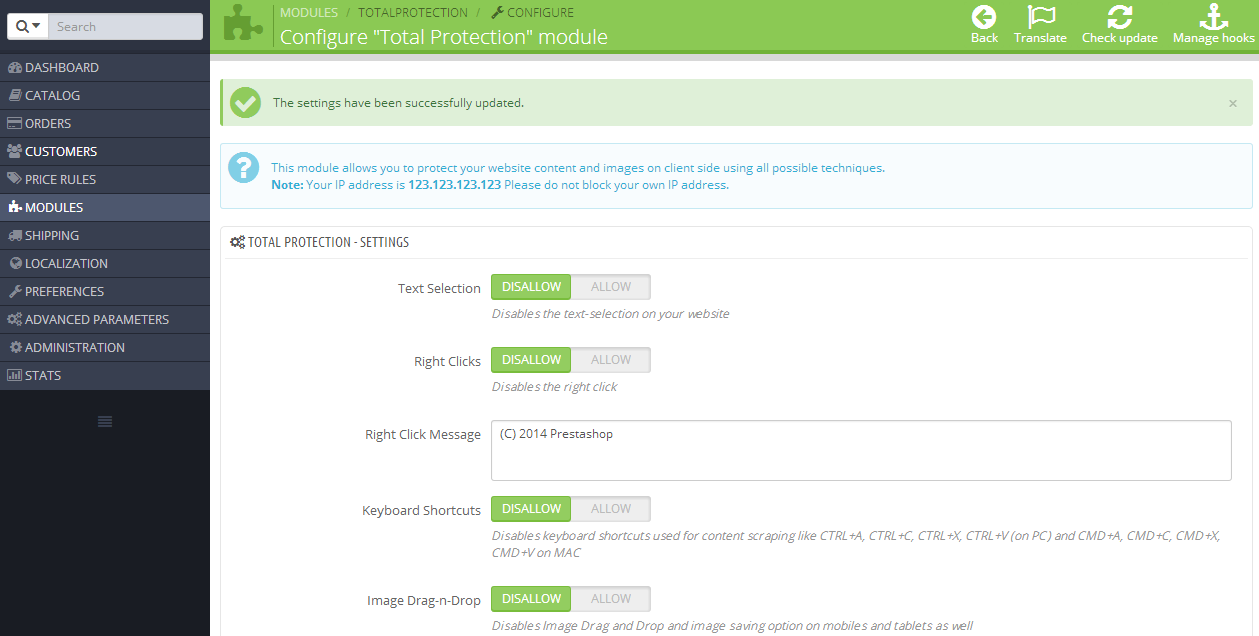
Prestashop Total Protection Pro
Protect your Prestashop site from content theft

LionPaste
Instantly search, reuse, and paste your clipboard history on Mac with a fast, privacy-first clipboard manager built for productivity.
Recently Added
Fresh releases and latest additions
Lion's Legacy
Encrypted vault for cards, bank accounts, identity documents, and final wishes. Runs 100% offline on iOS and Android with biometric unlock.
Offline Games
Play 30+ classic games offline, anywhere, anytime!
LionPaste
Instantly search, reuse, and paste your clipboard history on Mac with a fast, privacy-first clipboard manager built for productivity.
eDarpan WordPress Protection
Protect your WordPress site from content theft and malicious visitors
From the Blog
Guides and reviews related to CalculatorX

How to Consolidate Your Scattered Apps Into One Workflow
Juggling six apps before your first coffee? Learn how to consolidate scattered tools into one seamless workflow and reclaim the time lost to constant app-switching.
How to Stop Apps From Sharing Your Data With Third Parties
Most free apps quietly share your location, device ID, and usage data with dozens of third-party ad and analytics networks. Learn practical steps to stop apps from leaking your personal data.
Focus Apps for Neurodivergent Minds: What Actually Works
Most productivity apps are built for neurotypical brains. Here's an honest look at focus apps that actually work for ADHD, autism, and neurodivergent minds.

How to Escape the Productivity App Trap and Build a Simple Stack
Drowning in productivity apps? Learn how to escape the tool overload trap and build a simple, focused stack that actually saves your time and attention.