If you have ADHD, autism, or any flavor of neurodivergent wiring, you have probably downloaded a dozen "focus" apps and abandoned all of them within a week. I know I have. The problem is not your willpower. It is that most productivity tools are built for a neurotypical brain that responds to gentle nudges, tidy checklists, and calendar blocks. That brain does not need an app to hyperfocus for six hours and then forget to eat lunch.
Here is a number that surprised me when I first read it: studies on time perception suggest people with ADHD can underestimate the passage of time by 30 to 40 percent. That means a "quick 15 minute task" genuinely feels shorter than it is, which wrecks planning, deadlines, and the entire premise of a to-do list. A tool that ignores this is fighting the wrong battle.
I have spent the last two years testing focus apps as someone who actually needs them, not as a reviewer skimming feature lists. This article breaks down what genuinely works, what the marketing gets wrong, and how to build a system that survives contact with a real neurodivergent day. We will cover categories of tools, a head to head comparison, a worked example of setting one up, and answers to the questions people actually search for.
Key Takeaways
- Externalize time. Visual timers and body-doubling beat willpower because they make invisible time visible.
- Reduce friction to zero. If starting a task takes more than two taps, your brain will find an escape route.
- Pick tools that forgive relapse. Streak-shaming apps fail because a single missed day makes neurodivergent users quit entirely.
- Fewer apps, not more. A stack of five focus tools becomes its own distraction. Aim for two or three.
- Offline and low-stimulation options matter. Sometimes the best focus tool is the one that removes the internet, not the one with more notifications.
- Match the tool to the symptom. Task initiation, time blindness, and overstimulation each need different solutions.
Why Standard Productivity Apps Fail Neurodivergent Brains
Most productivity apps assume three things that are simply not true for a lot of us: that you can estimate time accurately, that you will feel motivated by an empty checkbox, and that a missed day should feel like a failure. Those assumptions are baked into the design.
Take the classic streak counter. For a neurotypical user, a 40-day streak is a badge of pride. For someone with rejection sensitivity or executive dysfunction, breaking that streak on day 41 often triggers an all-or-nothing collapse. The app that was supposed to help now sits on the home screen as a monument to failure.
The other silent killer is friction. Every extra tap, login, or "which project does this belong to?" prompt is a place where an ADHD brain can slip off the rails and end up on social media. The best focus apps for neurodivergent users are almost aggressively simple.
The three symptoms your app actually needs to solve
- Task initiation paralysis: you know what to do, you want to do it, and you physically cannot start.
- Time blindness: hours vanish, or a task you thought took ten minutes took ninety.
- Overstimulation and context-switching cost: too many inputs cause a shutdown, and every notification resets your focus.
Any tool you consider should map cleanly to at least one of these. If you cannot say which problem it solves, skip it. When you are browsing something like the Android apps category or hunting through general web apps, keep those three symptoms in mind as a filter.
Focus Apps for Neurodivergent Minds: The Categories That Work
Rather than list 40 apps, it is more useful to group them by the job they do. In my experience these five categories cover almost everything a neurodivergent person actually needs.
1. Visual timers and time-boxing tools
These externalize time so you can literally see it draining. The physical Time Timer is the gold standard, and its app version replicates the shrinking red disc. Forest is another favorite because it gamifies staying off your phone by growing a tree that dies if you leave.
The Pomodoro technique lives here too: 25 minutes of work, 5 minutes of break. Honestly, for many neurodivergent users 25 minutes is too long or too short. I ended up running 15/5 cycles some days and 50/10 on hyperfocus days. Pick a tool that lets you change the interval without digging through settings.
2. Distraction blockers
Freedom, Cold Turkey, and One Sec sit here. They block apps and sites during focus windows. One Sec is clever: instead of a hard block, it makes you take a breath before an app opens, which is often enough to break the automatic reach.
Blockers matter more than people admit, because the modern web is engineered to hijack attention. If you want to understand just how hostile that environment is, our piece on malicious browser extensions is a sobering reminder that not everything reaching for your attention is benign.
3. Body-doubling and accountability apps
Body doubling is working alongside another person, in the same room or over video, which somehow makes tasks possible. Focusmate pairs you with a stranger for a 50-minute silent video session. It sounds strange. It works remarkably well because the social presence supplies the external structure your brain is not generating internally.
4. Capture and offloading tools
A neurodivergent brain that has to hold a task in working memory will drop it. The fix is instant capture. Tools that let you dump a thought in one keystroke are worth their weight. A fast clipboard or snippet manager like LionPaste can double as a capture buffer, letting you paste recurring text and stash quick notes without breaking flow.
5. Low-stimulation and offline focus environments
Sometimes the answer is fewer inputs, not more features. When overstimulation hits, the best move is to disconnect. A distraction-free environment can be as simple as a folder of calming offline games for regulated breaks, or a stripped-down calculator like CalculatorX that does one job without an ad-riddled web page trying to sell you something.
App vs App: A Practical Comparison
Here is how the most popular tools stack up on the criteria that actually matter to neurodivergent users. "Forgiveness" means how gracefully it handles a missed day. "Friction" is how many steps to start a focus session, lower is better.
| Tool | Primary job | Friction to start | Forgiveness | Best for |
|---|---|---|---|---|
| Forest | Phone-blocking, gamified timer | Low (2 taps) | Medium (a dead tree stings) | Time blindness, phone addiction |
| Focusmate | Body doubling | Medium (book a slot) | High (no streaks) | Task initiation paralysis |
| One Sec | Distraction interruption | Zero (runs passively) | High | Impulsive app opening |
| Cold Turkey | Hard site/app blocker | Low once configured | Low (blocks are rigid) | Deadline crunches, deep work |
| Time Timer | Visual countdown | Low (1 tap) | High (no penalties) | Time perception, transitions |
Notice a pattern: the tools with the highest forgiveness and lowest friction tend to survive longest in real use. Cold Turkey is the exception. Its rigidity is a feature when you have a real deadline and need a wall you cannot climb over on impulse.
A Worked Example: Building a Focus Stack in One Afternoon
Let me make this concrete. Say you are a freelance developer with ADHD. You have 6 client tasks due this week, you lose roughly 90 minutes a day to unplanned phone scrolling, and you routinely start work at 2pm instead of 9am because you cannot get going. Here is the exact stack I would build.
- Install a visual timer (5 minutes). Set it to a 15/5 cycle to start. Fifteen minutes is a low enough bar that starting feels possible. The goal on bad days is just to survive one cycle.
- Set up One Sec on your two worst apps (10 minutes). For me that is Instagram and a news app. The breathing delay cut my daily scroll from 90 minutes to about 35 within a week.
- Book one Focusmate session for 9:15am tomorrow (3 minutes). This directly attacks the 2pm start problem. A stranger expecting you on video at 9:15 is a stronger motivator than any alarm.
- Create a capture shortcut (5 minutes). Set up a snippet or paste tool so every stray thought goes into one place instead of derailing you. This is where a utility like LionPaste earns its keep.
- Schedule a Cold Turkey block for your two deep-work windows (10 minutes). Block social media and email from 9:15 to 11:00 and 1:30 to 3:00. Configure it once, and it repeats.
- Plan your break rewards (5 minutes). Decide in advance what a 5-minute break looks like so it does not become a 5-hour break. A quick round of an offline game is bounded in a way that YouTube is not.
Before: start at 2pm, 90 minutes lost to scrolling, 2 of 6 tasks done by Friday. After two weeks: start at 9:20am most days, roughly 35 minutes of scrolling, 5 of 6 tasks done. That is not a perfect transformation, and the sixth task still slipped. But the system is forgiving enough that one bad Tuesday did not blow up the whole week.
Security and Privacy: The Overlooked Part of Focus Apps
Here is something the wellness blogs never mention. Focus apps get deep permissions. Screen-time tools see every app you open. Blockers can inspect your traffic. Body-doubling apps have your camera. That is a lot of trust to hand to a small studio.
Before you install anything, do three quick checks:
- What data leaves your device? A local-
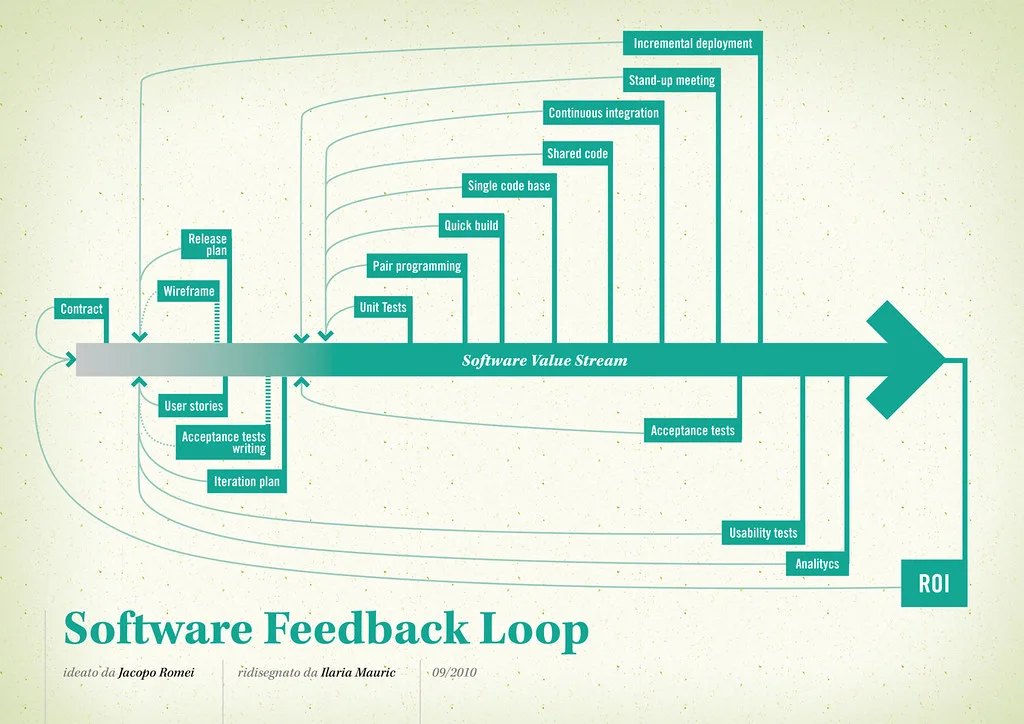
Cover image: Software value feedback loop by jakuza, licensed under BY-SA 2.0 via Openverse.