Last year, a single compromised npm package called event-stream reminded the entire industry of an uncomfortable truth: you don't get hacked because your code is bad. You get hacked because a tool you trusted was quietly turned against you. That package had millions of weekly downloads, and a maintainer handed the keys to a stranger who slipped in credential-stealing code aimed at a specific cryptocurrency wallet. Nobody wrote a single insecure line. They just installed something.
That's the shape of modern risk. Your software supply chain isn't just the code you ship. It's the plugins you install, the vendors you buy from, the AI assistant you paste secrets into, and the password manager holding the logins that gate all of it. According to Sonatype's annual reports, malicious packages in open registries now number in the hundreds of thousands per year, and the trend line only points up.
This article is a practical, tool-by-tool guide to hardening that chain. We'll cover how to vet vendors before you buy, how to lock down the logins that attackers actually target, and how to use AI tools without turning them into a leak. Expect real numbers, a comparison table, and steps you can follow today.
Key Takeaways
- Treat every dependency as a vendor. A free GitHub package and a paid enterprise SDK carry the same category of risk: someone else's code running with your privileges.
- Vet before you install, not after. Check maintainer history, release cadence, and reproducible builds before
npm install, not during incident response.- Logins are the crown jewels. A leaked build-system token or password-manager master key undoes every other control you have.
- AI tools are supply chain now. Prompts, code suggestions, and agent plugins all introduce third-party trust you rarely audit.
- Buy from marketplaces with provenance. Curated sources beat random downloads when you can verify the seller and update path.
What "Software Supply Chain Security" Actually Means
Software supply chain security is the practice of protecting every external component and service that touches your software, from the moment you select a dependency to the moment it runs in production. It covers three layers most teams treat separately but attackers treat as one:
- Code and dependencies: open-source libraries, paid plugins, SDKs, container base images, and build scripts.
- Vendors and services: the marketplaces, CI runners, package registries, and SaaS tools you rely on.
- Identity and access: the logins, API tokens, and secrets that let all of the above talk to each other.
The failure mode is always the same. An attacker finds the weakest of these three, then rides it into the other two. A stolen npm token becomes a poisoned package. A poisoned package becomes a stolen AWS key. A stolen AWS key becomes your customer database on a forum.
Why the Perimeter Model Fails Here
Firewalls assume the threat is outside. Supply chain threats arrive inside your trust boundary because you invited them in. When you run pip install, you're granting arbitrary code execution to a stranger on the internet. That's not paranoia; that's the install command's actual behavior.
How to Vet Software Vendors Before You Buy or Install
Whether you're pulling a free library or buying a commercial plugin, the vetting checklist is nearly identical. The stakes just get higher when the tool has elevated permissions, like a WordPress plugin that can write to your database.
Here's the process I run before adopting any new dependency:
- Check the maintainer, not just the download count. Popularity is not safety. Look at how many people have commit access, whether the project has a security policy, and how long the primary maintainer has been active. A one-person project with 5 million downloads is a single point of failure.
- Read the release history. Steady, dated releases with changelogs are a good sign. A two-year gap followed by a sudden 3 a.m. release from a brand-new contributor is exactly the pattern that preceded several real-world attacks.
- Verify the source matches the package. The code on GitHub should match what gets published to the registry. When it doesn't, that's how build-injection attacks hide. Our guide on how to spot trojanized GitHub repos before you clone them walks through the exact tells.
- Scan for known vulnerabilities. Run
npm audit,pip-audit, or a tool like OSV-Scanner. This catches disclosed CVEs, not novel malware, but it's a free first pass. - For paid tools, confirm the seller and update path. Who publishes this? How do updates get delivered? Is there a support channel? A commercial vendor with a verifiable identity and a real support process is often safer than an anonymous free package with no accountability.
This last point is why curated marketplaces matter. When you browse a catalog like the LionScripts product library, you're buying from a known publisher (eDarpan Tech) with a documented update mechanism, rather than gambling on a random forum download. That provenance is itself a security control.
A Worked Example: Vetting a WordPress Security Plugin
Say you run a WordPress site with 12 plugins and you're considering adding a 13th for security hardening. Before installing, I'd score it on five factors, each 1 to 5:
- Maintainer transparency: Is there a named company behind it? (Score: 5 if yes, 1 if anonymous.)
- Update cadence: Updated in the last 90 days? (5) Or abandoned 18 months ago? (1)
- Permission scope: Does it request only what it needs, or full admin plus file write?
- Support responsiveness: Test it. Email support with a real question before you buy.
- Reputation signals: Independent reviews, not just the vendor's own testimonials.
A plugin scoring 22/25 is worth trusting with your login page. One scoring 9/25 is a liability regardless of its feature list. If you want the full methodology, we broke it down in how to audit WordPress security plugins before you trust them. Tools like eDarpan WordPress Protection and the WordPress IP Blocker Pro are built with that transparency in mind, and you can see the rest of the catalog under WordPress plugins.
Locking Down the Logins That Attackers Target First
Attackers don't usually break encryption. They steal credentials. Verizon's Data Breach Investigations Report has for years put stolen or compromised credentials at the top of the initial-access chart, involved in a large share of breaches. In the supply chain context, the credentials that matter most are:
- Package registry tokens (npm, PyPI, RubyGems publish tokens).
- CI/CD secrets (GitHub Actions secrets, deploy keys, cloud access keys).
- Your password manager's master key, which unlocks everything else.
Step-by-Step: Harden Your Credential Stack
- Inventory your tokens. List every long-lived token that can publish code or deploy infrastructure. Most teams find 2x more than they expected.
- Replace long-lived tokens with short-lived, scoped ones. Use OIDC for CI where possible so no static secret sits in your repo settings.
- Enable phishing-resistant MFA. Passkeys or hardware keys, not SMS. SMS codes are interceptable and reusable.
- Audit your password manager's encryption model. Not all "zero-knowledge" claims survive scrutiny. Our walkthrough on how to audit your password manager's encryption before you trust it shows what to look for.
- Protect passkeys from local malware. A compromised endpoint can hijack even passkey flows. See how to protect passkeys from malware that hijacks password managers.
- Rotate on any suspicion. If a developer's laptop is lost or a package looks off, rotate the associated tokens the same day.
For teams that need a defense-in-depth layer at the server and site level, tools like SiteGuard Pro and the broader Webmaster Tools Suite add monitoring on top of good credential hygiene. And if you're on Prestashop, Prestashop Total Protection Pro covers the storefront layer where login attacks concentrate.
AI Tools Are Part of Your Supply Chain Now
Two years ago, "supply chain" meant packages. Today it also means the AI coding assistant suggesting snippets, the agent plugin executing tasks on your behalf, and the chatbot you paste error logs into. Each introduces third-party trust, and most teams have zero governance around it.
The Three AI Risks Nobody Budgets For
- Prompt leakage: Paste a config file with an API key into a public AI chat, and that key may end up cached, logged, or worse, indexed. See how to stop AI chat leaks for concrete mitigations.
- Malicious agent plugins: AI agents that install their own tools can pull in poisoned dependencies at runtime. Vet them like any other package, as covered in how to vet AI agent plugins before you install them.
- Suggested-code trust: AI code suggestions can recommend deprecated, vulnerable, or hallucinated packages that don't exist yet, an attack vector called "slopsquatting" where attackers register the hallucinated name.
How to Vet an Open-Source AI Agent Before Deploying
If you're deploying an autonomous agent, the vetting bar rises because the agent acts on its own. Confirm what tools it can call, whether it can execute shell commands, and how it sandboxes untrusted output. Our deep dive on how to safely vet open-source AI agents before you deploy them is the checklist I use, and you can browse vetted options
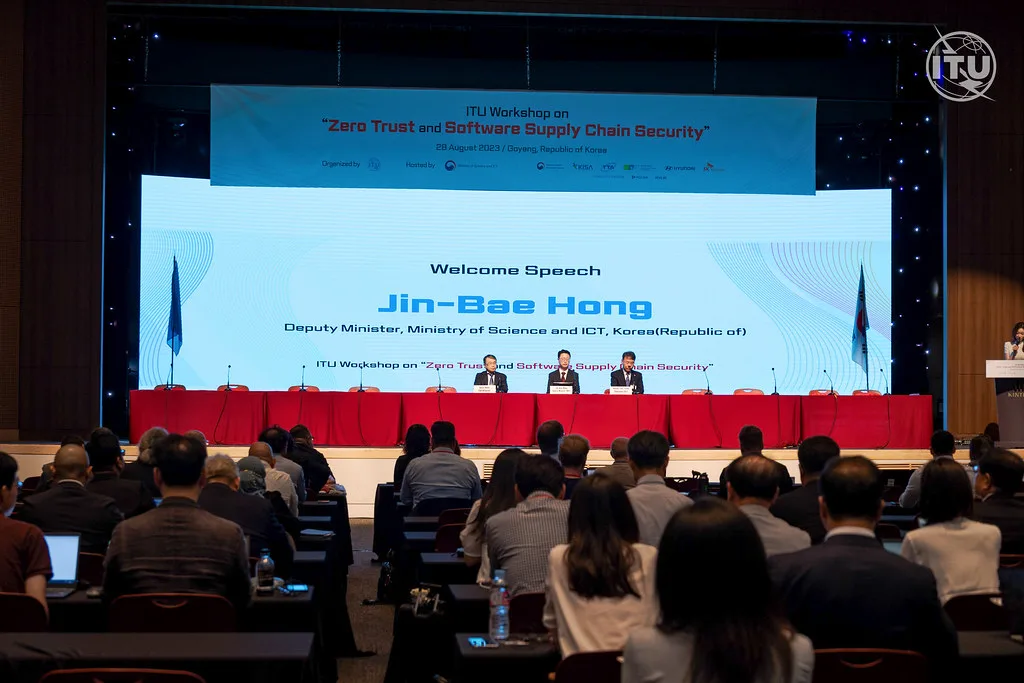
Cover image: ITU Workshop on Zero Trust and Software Supply Chain Security by Bulexat, licensed under BY-SA 4.0 via Openverse.