In mid-2023, thousands of ChatGPT conversations started showing up in Google search results. Users had clicked a "Share" button, expecting a private link they could send to a colleague, and instead handed their prompts to the open web. Some of those chats contained resumes, private business plans, half-written legal complaints, and in a few cases, credentials pasted in plain text. The feature was eventually pulled, but the lesson stuck: the tools we treat as private diaries are often one misconfigured setting away from being public documents.
If you use AI chat tools for anything sensitive, and almost everyone now does, you are exposed to a category of risk most people never think about. AI chat privacy leaks happen through shared links that get indexed, browser history that syncs to the cloud, extensions that read your screen, and training data pipelines that quietly absorb what you type. The average knowledge worker now pastes company data into an AI tool several times a week, usually without checking where that text ends up.
This article walks through exactly how these leaks happen, how to test whether your own conversations are exposed, and the concrete steps and tools that keep your prompts out of search engines and out of other people's hands. No hand-waving. Real settings, real numbers, real tradeoffs.
Key Takeaways
- Shared links are the #1 leak vector. Most AI chat leaks come from "share" features that generate publicly crawlable URLs, not from hacks.
- Search engines index anything they can reach. If a shared chat link is discoverable, Google and Bing will eventually crawl it.
- Turn off training data usage. Every major AI provider now offers an opt-out, but almost none enable it by default.
- Browser hygiene matters as much as app settings. Synced history, autofill, and rogue extensions leak prompts before they ever reach an AI server.
- Self-hosted paste and secrets tools beat pasting sensitive text into a chat window you don't control.
- Audit quarterly. Settings reset after updates. Treat AI privacy like security patching, not a one-time task.
How AI Chat Privacy Leaks Actually Happen
Before you can plug the holes, you need to know where they are. AI chat leaks fall into four broad buckets, and most people only worry about the least likely one (a dramatic breach) while ignoring the three that actually happen daily.
1. Public share links that get indexed
This is the big one. When you click "Share" in ChatGPT, Claude, Gemini, or many wrapper apps, the platform generates a URL like https://chat.example.com/share/8f3a.... That link is usually accessible to anyone who has it, with no login required. If it ever appears in a sitemap, a public forum post, a Slack channel that gets archived to the web, or a browser that reports URLs to a search index, it can be crawled and cached.
2. Training data ingestion
By default, several consumer AI tools use your conversations to improve their models. Your prompt about a confidential merger might not appear verbatim in someone else's chat, but the fact that it was ingested at all is a compliance problem for regulated industries and a trust problem for everyone else.
3. Browser and device leakage
Your prompts travel through a browser before they reach any AI server. Synced history uploads the URLs of your shared chats. Autofill can capture text you typed. A malicious or over-permissioned extension can read the entire page, including your conversation. This is the layer people forget, and it's the one covered in our guide on how to vet browser extensions before installing them in 2026.
4. Third-party wrappers and "free" AI apps
The explosion of AI wrapper apps means your prompt often passes through an intermediary server before hitting the real model. That middleman logs everything. If you're evaluating any of these, our walkthrough on how to safely vet open-source AI agents before you deploy them is worth reading first.
A Worked Example: How One Shared Link Became a Search Result
Let me make this concrete. Say you're a freelance consultant named Priya. Over three months you had 412 conversations with an AI assistant. Of those, you clicked "Share" on 18 to send drafts to clients. You assumed those 18 links were private because you only sent them over email.
Here's the failure chain:
- Two of those emails went to a client who forwarded them into a public support ticket system.
- That ticket system's help pages were crawlable and had no
noindextag. - Google indexed the ticket page, which contained the raw share URL.
- Google's crawler then followed that URL to the AI chat itself.
- Six weeks later, a search for Priya's client's product name surfaced her shared chat, including her pricing strategy and a competitor's name she'd used as a reference.
Before: 18 "private" links, zero visibility into where they lived.
After a 20-minute audit: Priya deleted 16 of the shared links, kept 2 that were genuinely public, switched her account to a workspace with sharing disabled by default, and set a calendar reminder to re-check every quarter.
The takeaway: a share link is a published document until you delete it. Treat every "Share" click as pressing "Publish."
Step-by-Step: Lock Down Your AI Chat Settings
Here is a walkthrough you can follow right now, in order. It takes about 25 minutes across all your AI tools.
- Find your shared links. In most AI tools, go to Settings → Data controls → Shared links. Review every entry. Delete anything you don't actively need public. If you can't remember why a link exists, delete it.
- Disable training on your data. Look for "Improve the model for everyone," "Chat history & training," or similar. Turn it off. On ChatGPT this lives under Data Controls; on Claude and Gemini the wording differs but the option exists.
- Turn off chat history sync if you don't need conversations available across devices. Less persistence means less to leak.
- Check retention settings. Some tools let you set auto-delete after 30 days. Enable it unless you have a workflow reason to keep chats.
- Audit connected apps and plugins. Revoke any integration you haven't used in 60 days. Each one is a data pathway.
- Search for your own leaks. Run a Google search for
site:chat.openai.com "your name"and similar queries for other platforms. If anything appears, request removal through Google's outdated content tool and delete the source link. - Lock down the browser. Disable form autofill for sensitive fields, review extension permissions, and consider a separate browser profile just for AI work. Developers should read our deeper guide on how to harden developer workstations against AI-era threats.
- Never paste secrets into a chat window. API keys, passwords, and access tokens don't belong in an AI prompt. Use a proper secrets workflow instead, which we cover below.
Where Should Sensitive Text Actually Live?
The root problem is that people use AI chat windows as scratchpads for sensitive text. When you need to share a code snippet, a config file, or a block of confidential notes, a chat window is the wrong container. It gets logged, indexed, and synced.
A self-hosted paste tool solves this cleanly. Instead of dumping sensitive text into a third-party chat, you paste it into infrastructure you control, set an expiry, and share a link that dies on schedule. Our own LionPaste is built for exactly this: self-hosted, with password protection and automatic expiry, so a code snippet you share for a code review vanishes in an hour instead of living forever in someone's chat log.
For anything you want to preserve securely rather than share, a proper encrypted store or backup beats a chat transcript. If you're rethinking how you keep important data, our guide on choosing backup software with a perpetual license in 2026 covers the tradeoffs.
Comparing Approaches to AI Chat Privacy
Not every solution fits every user. Here's an honest comparison of the four common approaches, scored on the factors that actually matter.
| Approach | Leak Risk | Effort | Cost | Best For |
|---|---|---|---|---|
| Default cloud AI (settings untouched) | High | None | Free/low | No sensitive data ever |
| Cloud AI with privacy settings locked | Medium | Low (25 min setup) | Free/low | Most individuals |
| Enterprise/team AI plan (no-train contract) | Low-Medium | Medium | $$ per seat | Regulated businesses |
| Self-hosted / local model + self-hosted paste | Low | High | $ (infra) | Privacy-critical work |
The sweet spot for most readers is the second row: locked-down cloud AI plus a self-hosted paste tool for the handful of genuinely sensitive things you'd otherwise dump into a chat. You get the convenience without treating every conversation as a public record.
Protecting the Web Properties Where Leaks Get Indexed
Remember Priya's failure chain? The leak wasn't the AI tool. It was the crawlable support page that exposed the URL. If you run a website, forum, help desk, or WordPress install, you are potentially a leak amplifier for other people's shared links, and for your own.
A few practical defenses:
- Add
noindexto internal pages that might contain pasted URLs or user submissions. Ticket systems, staging sites, and private wikis should never be crawlable. - Block aggressive scrapers and bad bots so AI training crawlers and content thieves can't harvest your pages. The WordPress IP Blocker Pro plugin lets you cut off entire ranges of known scrapers at the door.
- Harden the whole install. A single vulnerable plugin can expose logs full of URLs and prompts. Tools like eDarpan Word
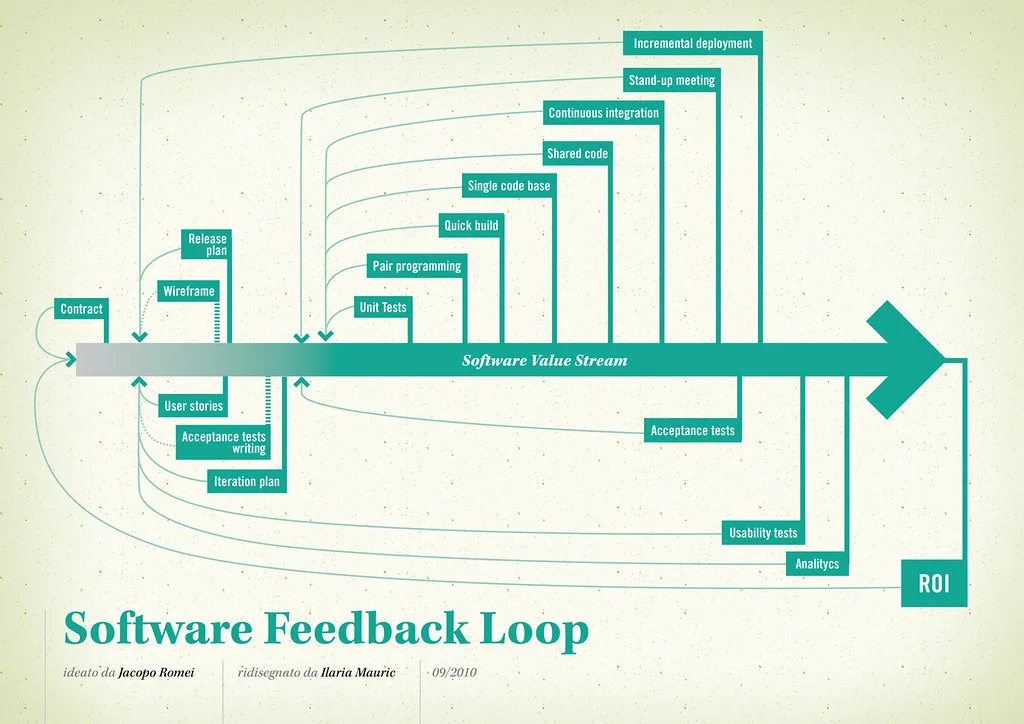
Cover image: Software value feedback loop by jakuza, licensed under BY-SA 2.0 via Openverse.