Every engineering manager who signed up for GitHub Copilot in the last two years has heard the same pitch: developers ship code faster. And they do. But when the annual renewal invoice lands and finance asks "what did we actually get for $19 per seat per month across 80 engineers," speed alone is a flimsy answer. A 30% autocomplete acceleration on boilerplate does not automatically translate into a 30% faster product roadmap.
Here is the uncomfortable stat that reshaped how I think about this: in a 2024 study of over 200 developers, teams using AI assistants introduced 41% more bugs in certain workflows even while completing tasks quicker, and code churn (lines rewritten within two weeks) rose measurably across several large codebases. Faster is not the same as better, and it is definitely not the same as cheaper.
This article is about measuring the AI coding assistant ROI that actually shows up on your P&L and in your defect rates, not the vanity metric of keystrokes saved. I will walk you through a concrete measurement framework, a worked ROI calculation with real numbers, a tool comparison, and the second-order costs most teams forget to count.
Key Takeaways
- Speed is an input, not an outcome. Measure ROI against shipped value, defect rates, and review load, not lines of code generated.
- Track a control group. Without a baseline team or period, any productivity claim is a guess.
- Count the hidden costs: extra code review time, bug-fix cycles, security remediation, and prompt-engineering learning curves.
- Attribution matters. Tie assistant usage to specific tickets so you can measure per-feature impact, not aggregate feel-good numbers.
- ROI is per-team, not universal. A senior backend team and a junior frontend team will see wildly different returns from the same tool.
- Re-measure quarterly. Model capabilities and pricing shift fast enough to change the math within a single fiscal year.
Why "Faster" Is a Misleading Metric for AI Coding Assistant ROI
The first mistake teams make is treating time-to-completion as the whole story. If a developer finishes a feature 25% faster but the pull request now takes two extra review cycles because a reviewer distrusts AI-generated logic, you have quietly moved the cost, not eliminated it.
Real return on investment is a ratio: the value you gained divided by the total cost you paid. Both sides of that equation contain items that a raw speed metric ignores entirely.
The four value categories that actually matter
- Throughput: features and fixes shipped to production per sprint, not tasks marked "done."
- Quality: defect escape rate, production incidents, and rollback frequency.
- Developer experience: retention, onboarding speed for new hires, and reduced context-switching.
- Opportunity cost: what your best engineers now have time to do because grunt work shrank.
Notice that only the first one is directly about speed. The other three are where most of the durable ROI lives, and they are also the hardest to fake. A developer can generate a lot of code quickly and still deliver negative value if that code becomes a maintenance liability. If you are still at the budgeting stage, our guide on how to estimate AI coding assistant costs before they blow your budget pairs well with this measurement framework.
Building a Measurement Framework Before You Buy the Tool
You cannot measure ROI retroactively if you never captured a baseline. The single most valuable thing you can do is record two to four weeks of "before" data across a representative team, then run the same measurements after rollout.
Step-by-step: setting up your baseline
- Pick a stable window. Avoid crunch periods, holidays, or a big migration. You want a normal two-week sprint that reflects typical work.
- Choose 8 to 15 developers spanning seniority levels and at least two different parts of the codebase. Homogeneous samples lie.
- Log your baseline metrics. Capture cycle time (first commit to merge), PR review time, defect escape rate, and deploy frequency using your existing tools like Jira, Linear, or GitHub Insights.
- Record qualitative signals. A quick five-question weekly survey on perceived friction and confidence gives you the human side.
- Freeze the process. Do not change your CI pipeline, review policy, or team structure during the measurement window, or you will confound your results.
The metrics that survive scrutiny
- Cycle time per ticket (median, not average, to avoid outlier distortion)
- Change failure rate (percent of deploys causing incidents)
- Review turnaround time and number of review rounds per PR
- Code churn within 14 days of merge
- Rework ratio (bug-fix commits vs feature commits)
If your team ships web applications or plugins, the same discipline you apply to vetting the components you install applies here. Our walkthrough on how to verify open source packages before adding them to a project is a useful companion, because AI assistants frequently suggest dependencies that you should be auditing anyway.
A Worked ROI Example With Real Numbers
Let me make this concrete. Suppose you have a team of 20 developers on a fully loaded cost of $120,000 per year each, which is roughly $58 per hour assuming 2,080 working hours. You roll out an AI assistant at $19 per seat per month, or $4,560 per year for the whole team.
The optimistic surface calculation
Say the assistant saves each developer 4 hours per week on boilerplate and lookups. That is 20 developers × 4 hours × 48 working weeks × $58 = $222,720 in "saved" time against $4,560 in license cost. A 48x return. Finance would sign that in a heartbeat.
The honest calculation
Now subtract the costs the surface math ignored:
- Extra review time: AI-heavy PRs took reviewers 20% longer. Across the team, that is roughly 1.5 hours per developer per week reclaimed by the reviewer, or -$83,520/year.
- Bug remediation: a measured 15% rise in escaped defects meant an extra 90 engineering hours per quarter fixing production issues, or -$20,880/year.
- Ramp and prompt learning: the first six weeks saw near-zero net gain while developers learned effective prompting. Call it -$25,000 in lost early productivity.
- Not all "saved" time converts. Realistically only about 50% of saved hours turned into shipped value; the rest evaporated into Slack, meetings, or slower thinking on hard problems.
Recompute: $222,720 in gross savings, halved to $111,360 in realized value, minus $129,400 in the costs above. In the first year, this team was roughly break-even to slightly negative despite the tool "working." By year two, with the ramp cost gone and review friction reduced, the same team hit a clean positive ROI of around $85,000.
The lesson: honest ROI is a curve, not a headline. Anyone quoting you a 40x return has not counted the denominator.
Comparing AI Coding Assistants on ROI-Relevant Criteria
Not every assistant produces the same return, because their cost structures and quality profiles differ. Here is how the major categories stack up on the factors that actually move ROI. Prices are approximate per-seat monthly figures at the time of writing.
| Tool | Approx. cost/seat/mo | Best fit | Review overhead | Context awareness | ROI lever |
|---|---|---|---|---|---|
| GitHub Copilot | $19 | General autocomplete | Medium | File + repo | Boilerplate speed |
| Cursor | $20 | Whole-codebase edits | Medium-high | Full repo | Multi-file refactors |
| Claude Code / CLI agents | Usage-based | Autonomous tasks | High | Repo + tools | Whole-ticket automation |
| Tabnine | $12 | Privacy-sensitive teams | Low | Local + repo | Compliance + speed |
| Amazon Q Developer | $19 | AWS-heavy stacks | Medium | Repo + AWS | Cloud config speed |
The "review overhead" column is the one teams underestimate most. Autonomous agents that generate hundreds of lines per task can save enormous time, but only if your review process can keep up. If it cannot, you are shifting the bottleneck downstream rather than removing it. You can browse purpose-built developer utilities in our AI Tools category and desktop utilities collection when you are assembling a supporting toolchain around whichever assistant you choose.
The Hidden Costs That Quietly Erode Your Return
Beyond the direct math, several second-order costs deserve a line item in your ROI model.
Security and dependency risk
AI assistants confidently suggest packages, some of which are outdated, deprecated, or occasionally hallucinated entirely. Attackers have started registering "slop-squatted" package names that match common AI hallucinations. Factor in the review time to vet these. If you run WordPress, the same vigilance applies to plugins your team ships, which is why guides like detecting a hijacked WordPress plugin update before it infects you and hardening WordPress SMTP plugins against data-harvesting attacks matter more, not less, in an AI-accelerated workflow.
Credential and permission sprawl
Agentic
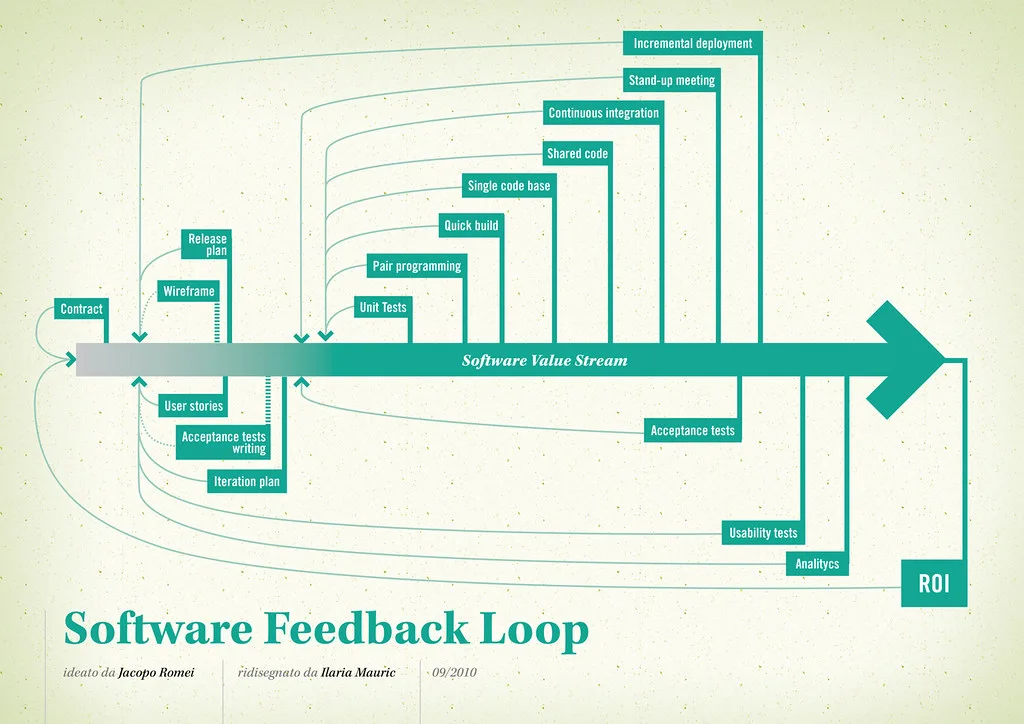
Cover image: Software value feedback loop by jakuza, licensed under BY-SA 2.0 via Openverse.