You wake up, check your site analytics, and something is off. There's a new admin account you never created. Posts you didn't write. A theme file with a chunk of obfuscated PHP tucked at the bottom. If you run WordPress, this is not a hypothetical. It's a Tuesday.
Authentication bypass attacks are the quiet killers of the WordPress world. Unlike a brute-force login attempt that hammers your wp-login.php page thousands of times (loud, obvious, easy to block), an auth bypass slips past the login entirely. The attacker never guesses your password because they never need it. In 2024 and 2025, a string of critical vulnerabilities in popular plugins let attackers create admin accounts or log in as any user with a single crafted request. Wordfence alone tracked several bypass flaws affecting plugins with over a million active installs each.
Here's what this article covers: what a WordPress authentication bypass actually is, the exact mechanisms attackers use, a real before-and-after breach scenario, a hardening walkthrough you can follow line by line, and a comparison of the defensive approaches that actually move the needle in 2026. I've cleaned up more than a few compromised sites, and I'll be honest about what works and what's security theater.
Key Takeaways
- An authentication bypass lets an attacker gain access without valid credentials, usually through a plugin or theme flaw, not a weak password.
- Most bypasses in 2025 came from insecure REST API endpoints, broken nonce checks, and privilege-escalation bugs in third-party plugins.
- Patch fast: the median time from public disclosure to mass exploitation is now under 24 hours.
- Layer your defenses. A firewall, IP-level blocking, MFA, and a smaller plugin footprint together beat any single tool.
- Audit plugin permissions regularly. Every plugin you install expands your attack surface.
- Keep offline, versioned backups so a bypass becomes a two-hour cleanup, not a two-week rebuild.
What Is a WordPress Authentication Bypass?
A WordPress authentication bypass is any vulnerability that allows an attacker to perform actions reserved for logged-in or privileged users without going through the normal login process. There are two broad flavors:
- Full authentication bypass — the attacker becomes an authenticated user (often admin) without a password.
- Privilege escalation — the attacker has a low-privilege account, or none, and elevates to administrator.
The distinction matters less than the outcome. Once an attacker holds admin, they can install plugins, edit theme files, inject redirects, and plant backdoors that survive a password reset.
Why passwords don't save you here
This is the part people get wrong. You can have a 40-character passphrase stored in a vault, rotate it monthly, and still get owned by a bypass. The flaw lives in code, not in your credentials. That's why the fix is rarely "use a stronger password" and almost always "patch the vulnerable component and reduce your attack surface." If you're still shoring up your password hygiene, our guide on whether password managers are safe in 2026 is worth a read, but understand it's a separate problem.
How Attackers Actually Bypass Authentication
Let's get specific. These are the mechanisms behind the majority of real-world WordPress bypass incidents I've seen and read about over the last two years.
1. Broken REST API authorization
WordPress exposes a REST API at /wp-json/. Plugins register their own endpoints, and the developer is responsible for adding a permission_callback to each one. When a developer forgets this, or writes it incorrectly (returning true unconditionally is a classic), anyone can hit that endpoint. Several 2025 bypasses came down to an endpoint that created users but never checked whether the caller was allowed to.
2. Nonce and token confusion
Nonces are WordPress's mechanism for verifying that a request came from a legitimate source. When a plugin checks a nonce but then fails open (proceeds even if the check fails), or reuses a predictable token, attackers can forge requests. Some plugins also confuse authentication with authorization, verifying that a user is logged in but not which user.
3. Type juggling and loose comparisons
PHP's loose comparison operator (==) has bitten WordPress plugins repeatedly. A password hash check written as if ($stored == $provided) can be tricked when both values start with 0e and PHP treats them as scientific notation equaling zero. It sounds obscure. It has appeared in production plugins.
4. Cookie and secret-key exposure
If your wp-config.php secret keys leak (through a misconfigured backup, an exposed .git folder, or a debug log), an attacker can forge valid auth cookies. This overlaps with a broader data-hygiene problem I covered in why your WordPress security plugin might be leaking data, because the tools meant to protect you sometimes create the exposure.
A Real Before-and-After Breach Scenario
Let me walk through a composite based on cleanups I've handled. The numbers are representative of what small business sites actually face.
The site: A regional e-commerce shop running WordPress with WooCommerce, 18 active plugins, roughly 4,200 daily visitors, and a single administrator account.
Before: One of the 18 plugins, a form builder with 900,000 installs, shipped a REST endpoint with a missing permission check. A public advisory dropped on a Monday at 14:00 UTC. The owner's auto-updates were off because a past update had once broken checkout.
The attack timeline:
- 14:00 — Advisory published. Proof-of-concept code circulates within hours.
- 18:40 — Automated scanners hit the site's
/wp-json/endpoints. First probe. - 18:41 — A crafted POST creates a hidden admin user named
wp_support. - 18:43 — The attacker logs in with the new account, uploads a fake plugin ZIP containing a web shell.
- Next 6 days — The shell quietly injects a payment-skimming script into the checkout page. Card data is siphoned to an external server.
The cost: By the time a customer reported a fraudulent charge, the site had processed roughly 260 orders through the skimmer. Cleanup, forced password resets, a PCI review, and lost trust ran into five figures. The fix on day one would have cost fifteen minutes.
After (what the same site looks like hardened): Auto-updates enabled for security releases, a web application firewall blocking the malicious request pattern, IP-level rate limiting on /wp-json/, MFA on the sole admin account, and daily offline backups. In that configuration the same advisory produces a firewall log entry and nothing else.
Step-by-Step: Hardening WordPress Against Bypass Attacks
Here's the walkthrough. You can do all of this in an afternoon. Do it in order.
Step 1: Inventory and trim your plugins
Every plugin is a door. List every active plugin, its version, and its last update date. Delete (don't just deactivate) anything you haven't used in 90 days or that hasn't been updated in a year. My rough rule: if you can drop from 18 plugins to 11, you've closed roughly a third of your third-party attack surface.
Step 2: Enable automatic security updates
In wp-config.php, confirm minor releases install automatically. For plugins, enable auto-updates individually from the Plugins screen for anything security-critical. If you fear a bad update breaking checkout, run updates on a staging clone first, but never leave known-vulnerable plugins unpatched for days.
Step 3: Lock down the REST API and XML-RPC
- Disable
xmlrpc.phpif you don't use it (most modern sites don't). - Rate-limit and restrict access to
/wp-json/endpoints that don't need public exposure. - Block user enumeration via
?author=1and the REST users endpoint for unauthenticated requests.
Step 4: Add a firewall and IP-level controls
A web application firewall inspects incoming requests and blocks known malicious patterns, often before a vulnerable plugin ever executes. Pair it with IP blocking so you can shut down abusive networks fast. Tools like WordPress IP Blocker Pro let you block by IP, range, or country and cut off scanner traffic at the door. For a broader defensive layer that watches for suspicious behavior across your whole install, eDarpan WordPress Protection is built specifically for this class of threat.
Step 5: Enforce multi-factor authentication
MFA won't stop a pure code-level bypass, but it stops the far more common credential-based paths and adds friction for anyone who does slip in. Better still, move toward passwordless where you can. Our walkthrough on how to set up passkeys across all your devices shows how to do it without the usual headaches.
Step 6: Audit user roles and permissions
Look for accounts you don't recognize, especially administrators. Downgrade anyone who doesn't need admin. Then audit what your plugins can actually touch. My colleague's guide on auditing WordPress plugin permissions walks through this properly.
Step 7: Set up offline, versioned backups
If a bypass succeeds, a clean backup is the difference between a coffee-break restore and a nightmare. Keep at least seven daily versions, stored off the server itself.
Firewall vs IP Blocking vs MFA: Which Defense Does What?
People ask me to recommend "the one tool." There isn't one. Each layer covers a different gap. Here's how the main approaches compare.
| Approach | Stops code-level bypass? | Stops credential attacks? | Setup effort | Ongoing maintenance | Best for |
|---|---|---|---|---|---|
| Web application firewall |
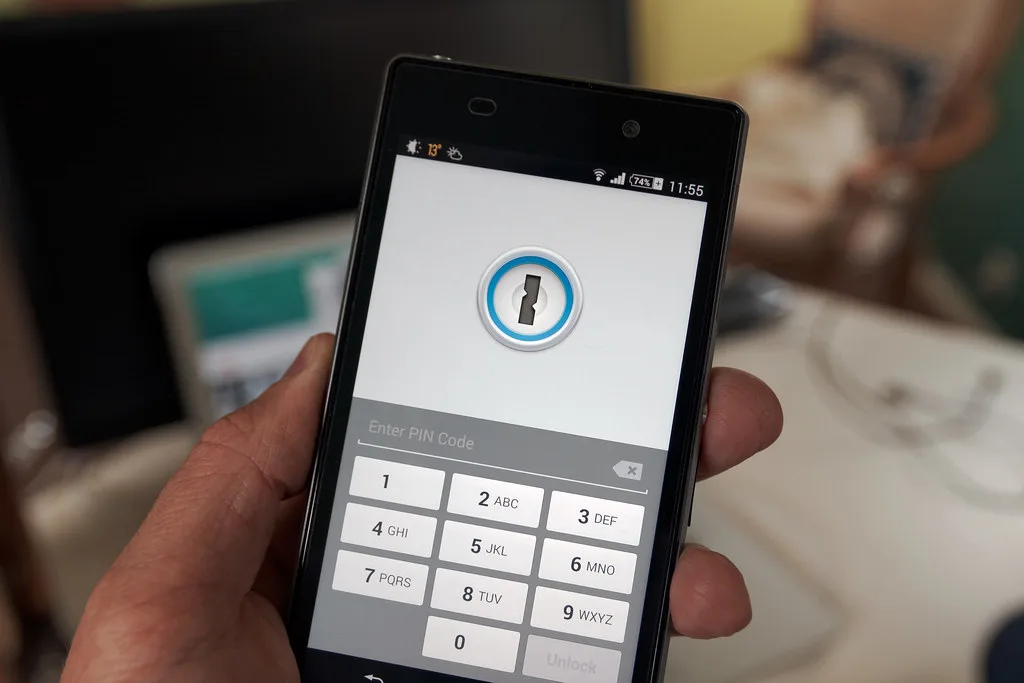
Cover image: Innovate Maryland Emerging Technology Center by MDGovpics, licensed under BY 2.0 via Openverse. |