If you use a password manager, you are already ahead of most people. But if you have been reading the news, you also know the uncomfortable truth: password managers have been breached, leaked, and attacked in ways that shook even security professionals. LastPass lost encrypted vault data in a 2022 breach that criminals are still slowly cracking years later. So the question is fair and it is urgent. Are password managers safe in 2026, or are we all trusting a single point of catastrophic failure?
Here is the surprising part. According to Verizon's long-running data breach research, the overwhelming majority of hacking-related breaches still trace back to stolen or weak credentials, not to broken cryptography. A well-configured password manager reduces that risk dramatically. The danger is almost never the math. It is the setup, the master password, the recovery options, and the human sitting in the chair.
In this article I will walk you through what actually threatens a password manager, how to judge whether yours is trustworthy, a side-by-side comparison of the main approaches, and a concrete hardened setup you can build in an afternoon. I have used cloud managers, self-hosted vaults, and passkeys in daily work, and I will be honest about the tradeoffs.
Key Takeaways
- Password managers are safe when configured correctly. The cryptography is rarely the weak point; your master password and recovery settings are.
- A breach of the provider does not automatically mean your passwords are exposed, if your vault uses strong zero-knowledge encryption and a long master password.
- Use a master passphrase of at least 5 random words plus two-factor authentication on the vault itself.
- Self-hosting shifts trust to you. It removes the provider risk but adds server maintenance and backup responsibility.
- Passkeys are reducing how often you type passwords at all, and they change the risk calculus in your favor.
- Audit which apps and browser extensions can read your vault. Over-permissioned software is a quiet leak vector.
What Actually Threatens a Password Manager in 2026
Let's be precise about the risks, because vague fear leads to bad decisions. A modern password manager has a handful of realistic attack surfaces, and they are not equally likely.
- Weak master password. If your master password is
Summer2024!, no encryption on earth will save you once your vault file is stolen. Offline cracking is the real threat here. - Provider breach with poor encryption. The LastPass incident was damaging partly because some older vaults used weak iteration counts, making brute-force feasible. Modern defaults are far stronger.
- Malware on your device. A keylogger or infostealer on your PC can grab your master password as you type it, or scrape the vault while it is decrypted in memory.
- Phishing and fake login pages. Reused login flows trick people into typing credentials into attacker-controlled sites.
- Malicious or over-permissioned extensions. A browser extension with broad access can read what your password manager autofills.
- Weak account recovery. If someone can reset your vault via a hijacked email or SMS code, the vault password barely matters.
Notice the pattern. Most of these are configuration and hygiene problems, not fundamental flaws. The tool is a lock. A good lock on a door left open is still a door left open.
How Zero-Knowledge Encryption Actually Protects You
The phrase you want to look for is zero-knowledge or end-to-end encrypted. It means the provider never has your unencrypted vault and never has your master password. Everything is encrypted and decrypted on your device.
Here is why that matters. When a provider gets breached, attackers steal a blob of encrypted data. To read it, they must guess your master password and run it through the same key-derivation process your app uses. That process is deliberately slow.
A worked example with real numbers
Say your vault uses PBKDF2 with 600,000 iterations, which is a common modern default. An attacker who steals your encrypted vault has to run 600,000 hashing rounds per password guess.
- Weak master password (
Password123): appears in every breach dictionary. Cracked in seconds regardless of iterations. - Medium password (
Tr0ub4dor&3, 11 characters): plausibly crackable within weeks to months on a serious GPU rig. - Five random words (
correct-battery-quilt-harbor-flint): the search space is astronomically large. Even a well-funded attacker running for years does not finish.
The takeaway is blunt. With zero-knowledge encryption and a five-word passphrase, a provider breach is an inconvenience, not a disaster. With a weak password, no architecture saves you. The math is doing exactly what it should; you just have to feed it a strong secret.
Cloud vs Self-Hosted vs Passkey-First: Which Approach Is Safer?
There is no single right answer, only tradeoffs that depend on your threat model and your appetite for maintenance. I have run all three. Here is how they compare on the criteria that actually matter.
| Criteria | Cloud password manager | Self-hosted vault | Passkey-first setup |
|---|---|---|---|
| Provider breach risk | Present, mitigated by encryption | You are the provider | No shared secret to steal |
| Setup effort | Low (minutes) | High (server, backups, updates) | Medium (per-service enrollment) |
| Cross-device sync | Excellent | Works, you manage it | Excellent via platform sync |
| Phishing resistance | Good with autofill | Good with autofill | Very high (bound to domain) |
| Maintenance burden | Minimal | Ongoing | Minimal |
| Best for | Most people | Privacy-focused, technical users | Everyone, gradually |
My honest opinion after years of daily use: a reputable cloud manager with a strong master passphrase and two-factor authentication is the right default for the vast majority of readers. Self-hosting is genuinely more private, but only if you maintain it well. A neglected self-hosted server with unpatched software is less safe than a well-run cloud service.
Passkeys are the interesting long-term shift. They replace passwords with cryptographic key pairs tied to a specific site, which makes phishing nearly impossible. If you have not tried them yet, our walkthrough on how to set up passkeys across all your devices in 2026 is a practical starting point.
How to Build a Hardened Password Manager Setup
Here is the setup I actually recommend, step by step. You can complete this in an afternoon and it will put you ahead of nearly everyone.
- Choose a zero-knowledge manager. Confirm on the provider's security page that it uses client-side encryption and modern key derivation (PBKDF2 with a high iteration count, or Argon2). If they will not tell you, walk away.
- Create a five to six word master passphrase. Use genuinely random words. Do not use a quote, a lyric, or anything tied to you. Write it on paper and store it somewhere physically secure until you have memorized it.
- Turn on two-factor authentication for the vault itself. Prefer an authenticator app or a hardware security key over SMS. SMS can be intercepted through SIM swapping.
- Lock down account recovery. Review the recovery options. Disable any weak fallback such as a security question. Make sure your recovery email is itself protected by a strong password and 2FA.
- Set a short auto-lock timeout. Configure the vault to lock after 5 to 15 minutes of inactivity, and require the master password (not just biometrics) after a device restart.
- Audit your browser extensions. Remove anything you do not actively use. An extension with broad page access can watch what your manager autofills. If you run WordPress or manage sites, the same logic applies to plugins, which we cover in how to audit WordPress plugin permissions to prevent data leaks.
- Run the built-in health report. Every serious manager flags reused, weak, and breached passwords. Fix the critical accounts first: email, banking, and anything with payment details.
- Enable passkeys where offered. For services that support them, add a passkey. It reduces how often your actual password is exposed at all.
The one hour that changes everything
Say you have 47 passwords across 12 services, and the health report tells you 9 are reused and 4 appeared in known breaches. Do not try to fix all 47 in one sitting. Fix the 4 breached accounts and your email in the first thirty minutes. Then rotate the 9 reused ones over the next week. That prioritized approach protects the accounts that matter most, fast.
The Device Is the Real Perimeter
A crucial point that gets lost in vault-versus-vault debates: your password manager is only as safe as the device you decrypt it on. If your machine is compromised, an attacker can read your vault while it is unlocked, no matter how good the encryption is.
So harden the endpoint too.
- Keep the operating system and browser patched. Most infostealer malware exploits known, already-fixed vulnerabilities.
- Be ruthless about what you install. Cracked software and shady downloads are the classic delivery method for credential-stealing malware. Buying from a vetted software marketplace instead of random torrents is a genuine security decision, not just an ethical one.
- Vet the tools you trust. Before installing anything with system access, check its provenance. Our guide on vetting open-source software for supply chain risks applies to closed-source tools too.
- Control which apps phone home. Many apps leak data quietly. See how to stop apps from sharing your data with third parties to lock this down.
If you manage websites rather than just personal logins, the perimeter widens. A leaking security plugin or an unprotected admin panel can expose stored cred
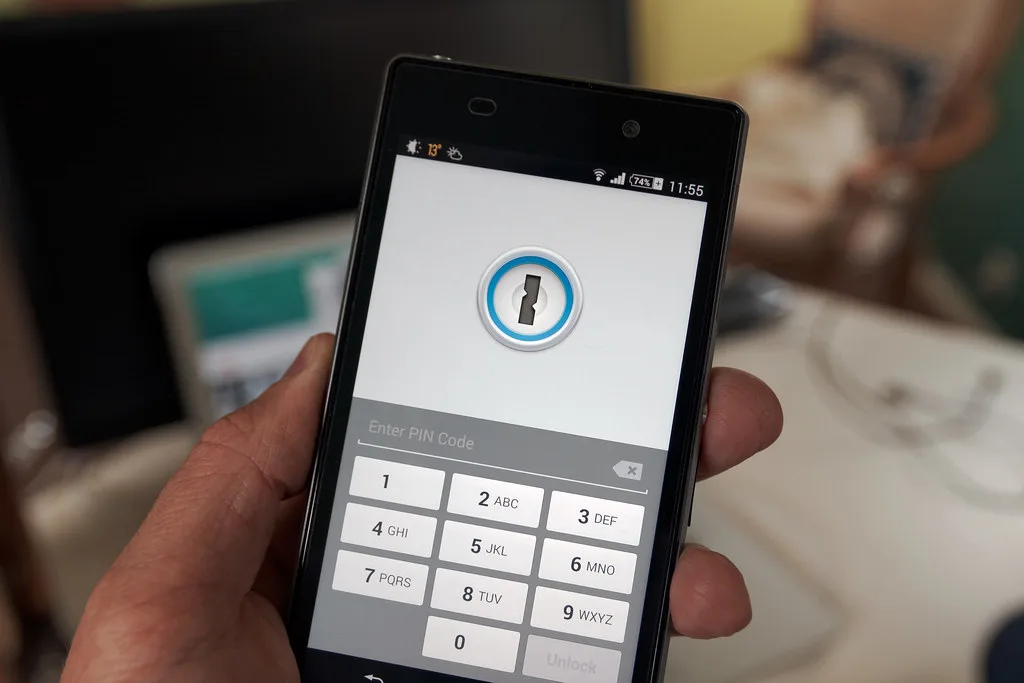
Cover image: Phone security by Ervins Strauhmanis, licensed under BY 2.0 via Openverse.