Here is a fact that should change how you think about your website in 2025: within a few years, a significant share of your "visitors" will not be humans at all. They will be AI agents, dispatched by users to book a table, compare prices, fill out a form, or complete a checkout on your behalf. Google, OpenAI, Anthropic, and a growing list of startups are all racing to ship agents that can operate the web directly. And most websites are catastrophically unprepared for them.
The problem is that today's agents "see" your site the way a screen reader from 2004 might: by scraping the rendered DOM, guessing at what a button does, and hoping the layout does not shift. It is slow, fragile, and error-prone. If an agent misreads your checkout flow, it does not file a support ticket. It just abandons the task and moves to your competitor. That is where WebMCP comes in, a proposed browser standard that lets your website expose clean, structured tools that AI agents can call directly instead of blindly clicking around.
In this guide I will walk through what WebMCP actually is, how it relates to the Model Context Protocol you may have heard about, and a concrete, step-by-step plan to make your site agent-ready without wrecking your security posture. I have been running these patterns on real sites, so expect honest tradeoffs, not hype.
Key Takeaways
- WebMCP for AI agents lets your website declare callable "tools" (like
searchProductsoraddToCart) that agents invoke directly, instead of scraping your UI.- It is a browser-side, in-page cousin of the Model Context Protocol (MCP) that runs inside the user's active session, so it inherits their existing login and permissions.
- Structured tools cut agent task failure rates dramatically compared to DOM scraping, because there is no guessing about what an element does.
- Security is not optional: every tool needs input validation, rate limits, confirmation prompts for destructive actions, and clear scopes.
- Start small. Expose 3 to 5 read-only tools first, test with a real agent, then add write actions behind confirmations.
- Treat agent traffic like any other untrusted client and pair WebMCP with your existing WAF, bot rules, and monitoring.
What Is WebMCP and Why Should You Care?
WebMCP is an emerging web standard that lets a website publish a set of structured, machine-callable functions, called tools, that an AI agent running in or alongside the browser can discover and invoke. Think of it as an API that lives inside the page and speaks the same language agents already use.
The underlying idea comes from the Model Context Protocol (MCP), which standardizes how AI models talk to external tools and data sources. Traditional MCP servers run on a backend and the AI connects to them over a network. WebMCP flips this: the tools are declared by the page itself and run inside the user's browser session.
That distinction matters more than it sounds. Because a WebMCP tool executes in the current session, it automatically operates as the logged-in user. There is no separate API key to provision, no server-to-server auth dance. If the user is signed in, the agent acts within exactly the permissions that user already has.
WebMCP vs traditional integration methods
Here is how WebMCP stacks up against the ways agents interact with sites today.
| Method | Reliability | Setup effort | Uses existing login | Security control |
|---|---|---|---|---|
| DOM scraping / clicking | Low (breaks on layout changes) | None for you | Yes | Very low |
| Public REST API + keys | High | High | No (separate tokens) | High |
| Backend MCP server | High | High | No (server auth) | High |
| WebMCP | High | Medium | Yes | Medium to high (if built right) |
The sweet spot is clear: WebMCP gives you API-level reliability without forcing every agent to hold a long-lived credential, while reusing the session security you already have. But that "if built right" caveat in the last column is doing a lot of work, and we will get to it.
How WebMCP Actually Works Under the Hood
At a mechanical level, WebMCP typically surfaces through a browser-level interface (the exact API is still stabilizing across vendors) where your page registers tools. Each tool has three parts:
- A name and description in plain language, so the agent's model knows when to use it. Example:
"searchProducts", "Search the catalog by keyword and return matching items with prices." - An input schema, usually JSON Schema, defining the parameters and their types. This is what turns fuzzy natural language into a validated function call.
- A handler function, the JavaScript that runs when the tool is called and returns a structured result.
When a user tells their agent "find me a WordPress security plugin under $50 and add it to my cart," the agent inspects the tools your page has registered. It sees searchProducts and addToCart, maps the request to those calls, fills in the parameters from the schema, and executes them in sequence. No pixel-hunting, no brittle CSS selectors.
A minimal tool declaration
Conceptually, registering a tool looks something like this:
navigator.modelContext.registerTool({ name: "searchProducts", description: "Search products by keyword", inputSchema: { type: "object", properties: { query: { type: "string" }, maxPrice: { type: "number" } }, required: ["query"] }, handler: async (args) => { /* return structured results */ } })
The exact namespace varies by implementation, and you should check current vendor docs, but the shape is consistent: describe the tool, define the inputs, provide the logic.
A Step-by-Step Plan to Make Your Site Agent-Ready
Let me walk through a realistic rollout. Say you run an ecommerce store with roughly 1,200 products, a search page, product pages, a cart, and a checkout. Here is how I would approach it.
- Inventory your key user journeys. Write down the top 5 to 8 tasks users complete: search, view product details, add to cart, apply a coupon, check order status, update account email. These become your candidate tools.
- Rank them by risk. Reading a product price is low risk. Placing an order or changing an email is high risk. Split your list into "read-only" and "write / destructive."
- Ship read-only tools first. Register
searchProducts,getProductDetails, andgetOrderStatus. These cannot damage anything, so you can test aggressively. - Define strict input schemas. For
searchProducts, capquerylength at, say, 200 characters and constrainmaxPriceto a positive number. Reject anything else before the handler runs. - Return structured, minimal data. Send back only what the agent needs: product ID, title, price, availability, URL. Do not leak internal fields, stock cost, or other users' data.
- Add write tools behind confirmation. For
addToCartorplaceOrder, require an explicit user confirmation step in the UI before the action commits. Never let an agent silently spend money. - Rate-limit every tool. A human searches a few times a minute. An agent might fire 50 calls in 10 seconds. Set sane per-session limits and back them with server-side enforcement.
- Log everything. Record which tool was called, with what arguments, and the outcome. This is your audit trail when something goes wrong.
- Test with a real agent. Give a live agent your natural-language task and watch what it calls. You will be surprised how often it picks the wrong tool because a description was vague. Tighten the wording.
- Monitor in production. Watch for anomalous call patterns, failed schema validations, and spikes. Treat these signals the same way you treat suspicious login attempts.
Before and after: On a scraping-based approach, an agent trying to complete "search for headphones under $80 and add the top result" might succeed maybe 6 times out of 10 because the layout confuses it, the "add" button is lazy-loaded, or a modal blocks it. With three clean WebMCP tools, that same task jumps toward 9 or 10 out of 10, and it completes in a fraction of the time because there is no rendering or scrolling involved.
The Security Risks Nobody Talks About
Here is the honest part. WebMCP makes your site easier for helpful agents to use, which by definition also makes it easier for malicious or compromised agents to use. If you expose a powerful tool without guardrails, you have handed attackers a clean, well-documented API into your app.
The threats worth planning for:
- Prompt injection. An attacker plants text on a page (or in a product review) that hijacks the agent's instructions and tells it to call your tools maliciously. Never trust that the agent's intent equals the user's intent.
- Over-scoped tools. A tool called
runQuerythat accepts arbitrary SQL is a disaster. Keep tools narrow and purpose-built. - Automated abuse. Agents can hammer tools far faster than humans. Without rate limits, your
searchProductsbecomes a scraping and enumeration engine. - Data leakage. Returning more fields than necessary means an agent (and whoever controls it) sees internal data you never intended to expose.
- Malicious agent plugins. The agent itself may be extended by third-party plugins the user installed without vetting.
On that last point, it is worth reading our guide on how to vet AI agent plugins before you install them, because the trust boundary now runs right through the browser your customers use. If their agent is compromised, your carefully scoped tools are being called by an adversary.
Prompt injection deserves special attention. The same class of attack that lets bad actors leak private AI chats into search can also manipulate an agent operating on your site. Assume any content an agent ingests could be adversarial.
Defense in depth is not optional
WebMCP is a client-side declaration, but real security lives on your server. Every tool handler should re-validate inputs and re-check authorization server-side, exactly as you would for any public endpoint. The browser is never a trusted environment
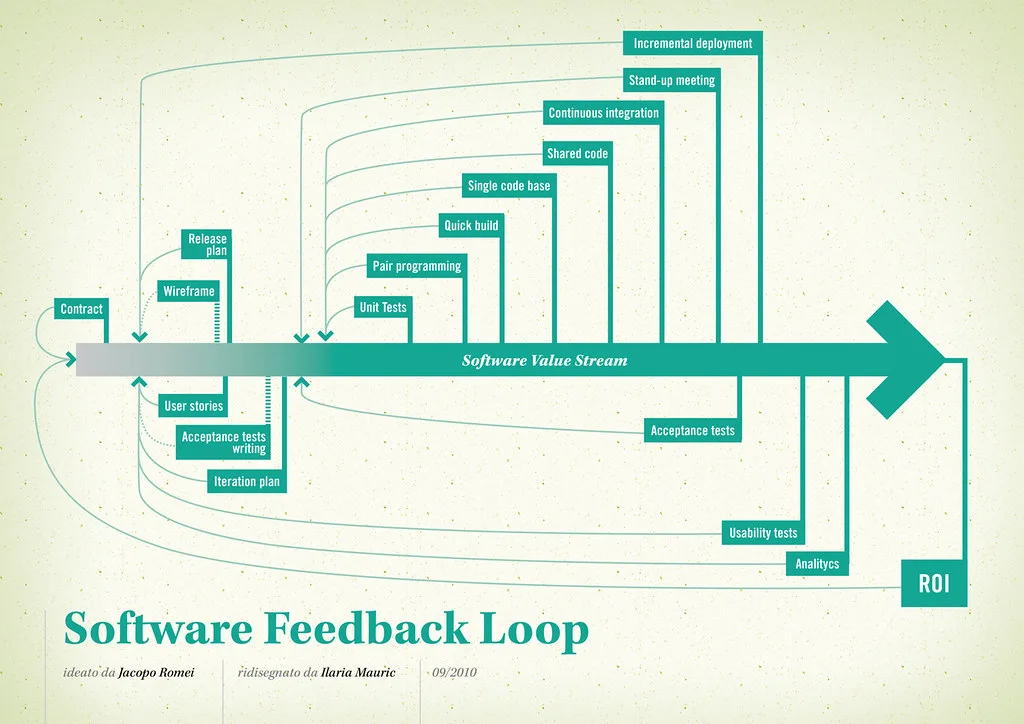
Cover image: Software value feedback loop by jakuza, licensed under BY-SA 2.0 via Openverse.