A developer on your team spins up a working prototype in an afternoon. It has auth, a payment flow, a dashboard, and a slick landing page. They built almost none of it by hand. They described what they wanted to an AI coding assistant, accepted the suggestions, and shipped. This is vibe coding, the practice of steering an LLM toward a functioning app through conversation rather than writing most of the code yourself. It feels like magic. It is also where a lot of quietly dangerous software is being born.
Here is the uncomfortable number: independent security researchers who audited AI-generated code samples have repeatedly found that roughly 30 to 45 percent contain at least one exploitable vulnerability, depending on the language and the prompt. GitHub's own research on Copilot flagged a meaningful share of insecure completions in security-sensitive contexts. The model does not know your threat model. It knows what looks plausible. Plausible and safe are not the same thing.
Whether you are buying a vibe-coded app from a marketplace, inheriting one from a contractor, or about to ship your own, you need a repeatable way to check it. This article walks through the concrete vibe coding security risks you should expect, a step-by-step vetting process, a comparison of review approaches, and a worked example so you can see the whole thing end to end.
Key Takeaways
- Assume secrets are hardcoded. AI assistants frequently inline API keys, database credentials, and tokens directly into source. Grep for them first.
- Dependencies are the biggest blast radius. Vibe-coded apps pull in packages the author never actually vetted. Audit the lockfile before anything else.
- Auth and access control are the weakest links. Generated auth often skips authorization checks, rate limiting, and session invalidation.
- Ask for provenance. If you are buying, demand to know what was generated, what was reviewed by a human, and who owns it.
- Automate the boring parts. Static analysis, dependency scanning, and secret scanning catch 80 percent of issues in minutes.
What "Vibe Coding" Actually Produces (And Why It Breaks)
Vibe coding is not inherently bad. Used well, it compresses weeks of boilerplate into hours. The problem is what the model optimizes for: code that runs and reads plausibly. Security, error handling, and edge cases are exactly the things that do not show up in a happy-path demo.
When you look under the hood of a typical AI-generated app, a few patterns repeat:
- Overly permissive defaults. CORS set to
*, database rules that allow any authenticated read, S3 buckets without explicit deny. - Copy-pasted vulnerable patterns. String concatenation into SQL queries, unescaped user input rendered into HTML, JWT verification that never checks the signature.
- Phantom dependencies. Packages imported to solve one line of a problem, often outdated or hallucinated versions that a supply-chain attacker can squat on.
- Confident-but-wrong crypto. Custom hashing, MD5 for passwords, or encryption with a static IV. It compiles. It is not secure.
The through-line is that the code looks finished when it is only functional. Your job during vetting is to separate those two states.
The Vibe Coding Security Risks You Should Expect First
Before you run any tools, know what you are hunting for. These are the categories that appear most often, roughly in order of how frequently they cause real incidents.
1. Hardcoded secrets
This is the single most common issue. An assistant asked to "connect to Stripe" will happily paste your test key into a config file, and developers routinely forget to move it to an environment variable before committing. Once it is in git history, it is effectively public.
2. Injection and input handling
SQL injection, command injection, and cross-site scripting all stem from trusting input the app should never trust. Generated CRUD code is especially prone to building queries with string interpolation.
3. Broken authorization
Authentication (who are you) usually gets built. Authorization (what are you allowed to do) frequently does not. An endpoint that checks you are logged in but not whether you own the record you are editing is a classic IDOR waiting to happen.
4. Vulnerable and untrusted dependencies
Every import is a trust decision, and the model made those decisions for you without reading a single security advisory. This overlaps heavily with the discipline of verifying open source packages before adding them to a project, which is worth reading in full if your app has more than a handful of dependencies.
5. Excessive third-party grants
If the app connects to Google, GitHub, or a payment provider via OAuth, it may request far more scope than it needs. Auditing those grants is its own skill, and the process we cover in auditing OAuth app grants before they become a breach maps directly onto vibe-coded apps that lean on external APIs.
A Step-by-Step Process to Vet a Vibe-Coded App
Here is the workflow I actually run when someone hands me a repo and asks "is this safe to ship?" It takes about an hour for a small app and scales up predictably. You can follow it without any prior context on the codebase.
- Scan for secrets before anything else. Run a tool like
gitleaks detectortrufflehogagainst the full git history, not just the current working tree. Secrets committed and later deleted are still exposed. Rotate anything you find immediately. - Audit the dependency tree. Run
npm audit,pip-audit, or the equivalent for your ecosystem. Then open the lockfile and eyeball anything you do not recognize. Look specifically for typosquats:expresinstead ofexpress, or a package with 40 downloads pretending to be a popular one. - Run static analysis. Use
semgrep --config autoor a language-specific linter with security rules enabled. This catches injection patterns, weak crypto, and dangerous functions in a single pass. - Map every route and its auth check. List all endpoints. For each one, write down the answer to two questions: is the caller authenticated, and is the caller authorized for this specific resource? Missing answers are your findings.
- Test the boundaries manually. Try to access another user's data by changing an ID in the URL. Submit a form with a script tag. Send a request without a token. The happy path was demoed; you are testing the unhappy paths nobody wrote code for.
- Check configuration and headers. Verify CORS, content security policy, cookie flags (
HttpOnly,Secure,SameSite), and that debug mode is off. These are almost always left at insecure defaults. - Confirm ownership and provenance. If you are buying rather than building, this step is non-negotiable. Know who wrote it, what license governs it, and whether you actually receive the rights you think you do. Our guide on auditing software vendor ownership before you buy gives you the exact questions to ask.
A Worked Example: Vetting a 3,000-Line Vibe-Coded SaaS Starter
Let me make this concrete. A client sent me a Node and React SaaS starter their contractor had "mostly generated with an assistant." It was about 3,000 lines across 42 files, with Stripe billing, JWT auth, and a Postgres backend. Here is what an hour of vetting surfaced.
Minute 0 to 10, secret scan. gitleaks found a live Stripe test key and a JWT signing secret ("supersecret123") both committed in the initial commit. The signing secret meant anyone could forge a valid token for any user. Severity: critical.
Minute 10 to 25, dependencies. npm audit reported 14 vulnerabilities, 3 of them high. One was a known prototype pollution issue in a JSON parsing library. There was also a package named jsonwebtokens (plural) sitting next to the legitimate jsonwebtoken. The plural one was never actually used, but its presence suggested the model had guessed at a name. Removing it was free risk reduction.
Minute 25 to 45, static analysis and routes. Semgrep flagged a query built as `SELECT * FROM invoices WHERE id = ${req.params.id}`. Classic SQL injection. Mapping the 11 API routes revealed that GET /api/invoices/:id checked the user was logged in but never checked they owned the invoice. Any authenticated user could read anyone's billing history.
Minute 45 to 60, config. CORS was set to allow all origins with credentials, and cookies lacked the Secure flag. Debug logging was printing full request bodies, including passwords, to the console.
The before/after tells the story. Before vetting: a demo that looked production-ready. After: five findings, two of them critical enough that shipping would have been negligent. None of them were exotic. All of them were the predictable output of code that ran but was never reviewed with an adversary in mind.
Manual Review vs. Automated Scanning vs. Managed Protection
You have three broad options for vetting, and the right answer is usually a blend. Here is how they stack up.
| Approach | Speed | Coverage of logic flaws | Cost | Best for |
|---|---|---|---|---|
| Automated scanning (SAST, dependency, secrets) | Minutes | Low to medium | Free to low | First pass on every app, every commit |
| Manual code review | Hours to days | High | High (expert time) | Auth, payments, anything handling money or PII |
| Managed / plugin protection layer | Setup in hours | Medium (runtime) | Low to medium | Ongoing defense once the app is live |
| Penetration test | Days to weeks | High | Very high | Pre-launch for high-stakes products |
Automated tools are fast and cheap but blind to business logic. No scanner will tell you that "users can read invoices they don't own" because that is a semantic problem
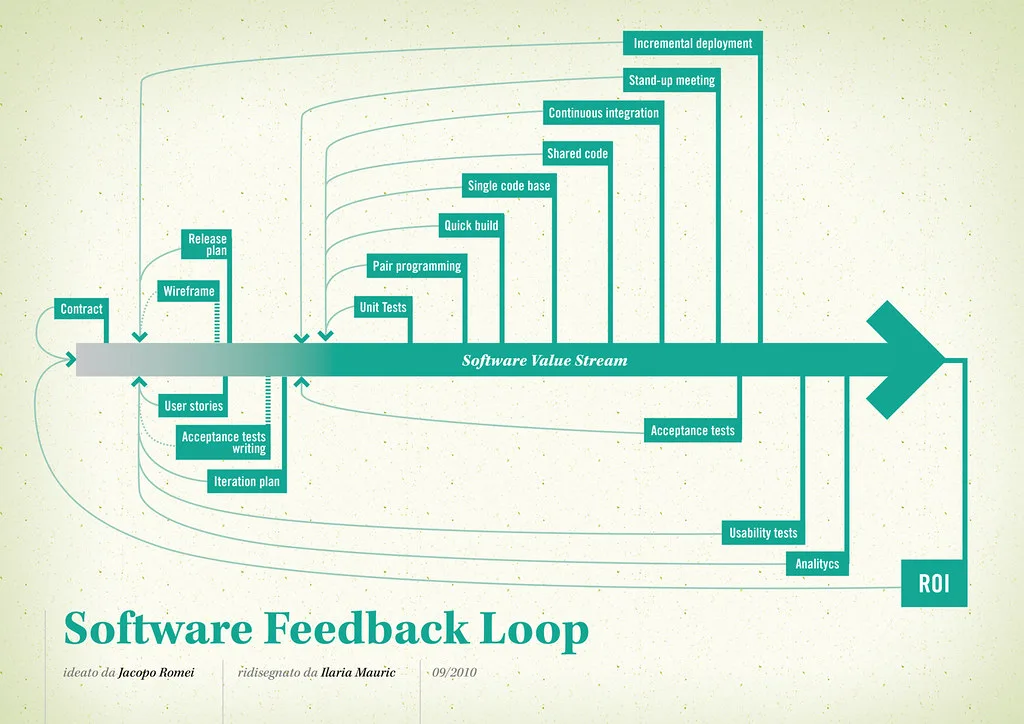
Cover image: Software value feedback loop by jakuza, licensed under BY-SA 2.0 via Openverse.