If you have spent any time watching demo videos for AI coding tools, you already know the pitch: type a comment, get a working function. But the gap between a polished demo and a tool that survives contact with a real codebase is enormous. I have run all three of the major agents on production repositories, from a 40,000-line Laravel monolith to a scrappy React Native app, and the differences are not what the marketing suggests.
Here is a stat that surprised me: in a 2024 developer survey by Stack Overflow, roughly 76% of developers were using or planning to use AI tools, yet only about 43% trusted the accuracy of their output. That gap between adoption and trust is the whole story. The right agent narrows it. The wrong one widens it and quietly ships bugs you will pay for later.
This ai coding agent comparison looks at Factory AI, Cursor, and GitHub Copilot the way a working engineer evaluates them: what they cost, where they break, and which one you should actually buy. No hype, just the tradeoffs I wish someone had told me before I paid for annual plans.
Key Takeaways
- Copilot is the safest default for teams already living inside GitHub and VS Code, with the lowest friction and price.
- Cursor is the best pure coding experience right now, with the strongest whole-repo context and multi-file edits.
- Factory AI aims higher: autonomous "droids" that plan and execute full tasks, which is powerful but demands more supervision.
- Raw speed is a vanity metric. Measure accepted-code quality, review time, and bug rate instead.
- Any agent that touches your repo is a supply-chain risk. Vet the tool the way you would vet a plugin or dependency.
- Buy based on your actual workflow, not the flashiest demo. The cheapest tool that fits your habits usually wins.
What an AI Coding Agent Actually Does
Not all of these tools are the same category, and conflating them is the first mistake buyers make. There is a spectrum from autocomplete to autonomous agent.
- Autocomplete assistants finish the line or block you are typing. Fast, low-risk, low-ambition. Classic Copilot lives here.
- Chat-and-edit assistants understand your open files and the wider repo, answer questions, and make multi-file edits on request. Cursor's core mode is the standout here.
- Autonomous agents take a task like "add rate limiting to the login endpoint," plan the steps, edit multiple files, run commands, and iterate until tests pass. Factory AI's droids and the newer agent modes in Cursor and Copilot compete here.
The higher up that ladder you climb, the more value you get per prompt and the more supervision you need. An autonomous agent that touches ten files while you grab coffee can be a productivity miracle or a merge-conflict nightmare. Knowing which tier you actually need is more important than picking a brand.
A quick definition of "agent"
When I say agent, I mean a tool that can take a multi-step goal, break it into actions, and execute those actions against your codebase and tooling with minimal hand-holding. That includes reading files, writing changes, running tests, and reacting to failures. Autocomplete does not qualify. Chat that only suggests does not fully qualify. That distinction matters for pricing and for risk.
Factory AI vs Cursor vs Copilot: The Head-to-Head
Here is how the three stack up on the criteria that actually predict day-to-day satisfaction. Prices reflect standard individual and team tiers at the time of writing and shift often, so treat them as ballpark.
| Criteria | GitHub Copilot | Cursor | Factory AI |
|---|---|---|---|
| Primary strength | Inline autocomplete + chat | Whole-repo context, multi-file edits | Autonomous task execution ("droids") |
| Editor | VS Code, JetBrains, Neovim | Own fork of VS Code | Web + CLI + IDE bridges |
| Starting price | ~$10/mo individual | ~$20/mo pro | ~$40+/mo, usage-tiered |
| Model choice | GPT + Claude options | Multiple frontier models, switchable | Multiple frontier models, task-routed |
| Autonomy level | Moderate (agent mode) | High (agent mode + composer) | Highest (planning + execution) |
| Best for | Individuals & GitHub-native teams | Full-time engineers who live in the editor | Teams offloading whole tickets |
The short version: Copilot wins on price and integration, Cursor wins on the editing experience, and Factory AI wins on ambition. None of them wins on all three, which is why "which is best" is the wrong question. The right question is "which fits how I work."
A Worked Example: Refactoring a 4,200-Line Service
Abstract comparisons are useless, so here is a real scenario. I had a payment-handling service in a Node.js API: one file, 4,200 lines, tangled callbacks, and a ticket to split it into three modules and add tests. I ran the same task through each tool and tracked the numbers.
- Copilot (agent mode). It handled the mechanical split well. Time to first working version: about 22 minutes. But it missed two circular imports and left three functions duplicated. Review and fix time: 35 minutes. Net: roughly 57 minutes.
- Cursor (composer). Its whole-repo indexing caught the circular imports on the first pass. Time to first working version: 18 minutes. It also proposed test scaffolding I actually kept. Review and fix time: 20 minutes. Net: about 38 minutes.
- Factory AI (droid). I gave it the ticket text verbatim. It planned the split, wrote the modules, generated tests, and ran them. First run failed two tests; it self-corrected. Wall-clock time with me watching: 26 minutes. Review time: 15 minutes. Net: about 41 minutes, and I typed almost nothing.
Doing the same refactor by hand would have taken me close to three hours. So all three saved real time. But notice the nuance: Copilot was fastest to a draft and slowest to a trustworthy result. Factory AI required the least of my attention but the most upfront ticket clarity. Cursor hit the best balance for a developer who wants to stay in the loop.
The lesson is the one I keep coming back to. If you judge these tools by "time to first output," you will pick wrong. Judge them by real AI coding assistant ROI beyond raw speed, which means counting review time, bug rate, and how much cognitive load the tool actually removes.
GitHub Copilot: The Sensible Default
Copilot is the tool I recommend to most people who ask me casually, because the odds it fits their workflow are high and the cost of trying it is low.
Where it shines
- Zero-friction integration. If you use VS Code or JetBrains and push to GitHub, it just slots in. No new editor to learn.
- Inline suggestions are excellent. For boilerplate, tests, and pattern-matching against your existing code, its autocomplete is still best-in-class.
- Price. At around $10/month for individuals it is the cheapest serious option, and business tiers are reasonable.
Where it falls short
- Its whole-repo awareness lags Cursor. On large codebases it sometimes suggests code that ignores an existing helper two directories away.
- Its agent mode is capable but more conservative and less fluid than Cursor's composer for big multi-file jobs.
Buy Copilot if you want a reliable co-pilot that speeds up the typing and thinking you already do, without asking you to change tools. It is the low-regret choice.
Cursor: The Power User's Editor
Cursor is a fork of VS Code with AI baked into the core rather than bolted on. That architecture is why its context handling feels a generation ahead. When I ask it a question, it already knows the shape of my repo.
Where it shines
- Whole-repo context. Its indexing means edits respect your actual conventions, imports, and types. This is the single biggest quality differentiator I found.
- Composer and agent mode. Multi-file edits with a diff view you approve chunk by chunk. It feels like pair programming, not gambling.
- Model switching. Route hard problems to a stronger model and cheap ones to a faster model, all in the same session.
Where it falls short
- You have to switch editors. If your team is standardized on JetBrains, that is a real cost.
- Usage-heavy months can push you into higher-cost tiers. Watch your request budget.
Buy Cursor if you are a full-time engineer who lives in the editor and wants the best hands-on-keyboard AI experience available today. For me it is the tool I reach for on serious work.
Factory AI: The Autonomous Bet
Factory AI plays a different game. Instead of assisting your keystrokes, it wants to take a whole ticket off your plate. Its "droids" plan, edit, run, and iterate, and they operate across your web console, CLI, and connected tooling.
Where it shines
- Task-level offloading. Well-scoped tickets ("add pagination to this endpoint, with tests") come back as reviewable pull requests.
- Self-correction. When tests fail, it retries and adjusts rather than dumping a broken diff on you.
- Parallelism. You can dispatch several tasks and review them as they land, which changes how a small team plans a sprint.
Where it falls short
- It is the most expensive, and usage adds up fast on ambitious tasks.
- Vague tickets produce vague results. Garbage in, garbage out is amplified with autonomy.
- You must review its output carefully. Autonomy is not an excuse to skip code review, it is a reason to strengthen it.
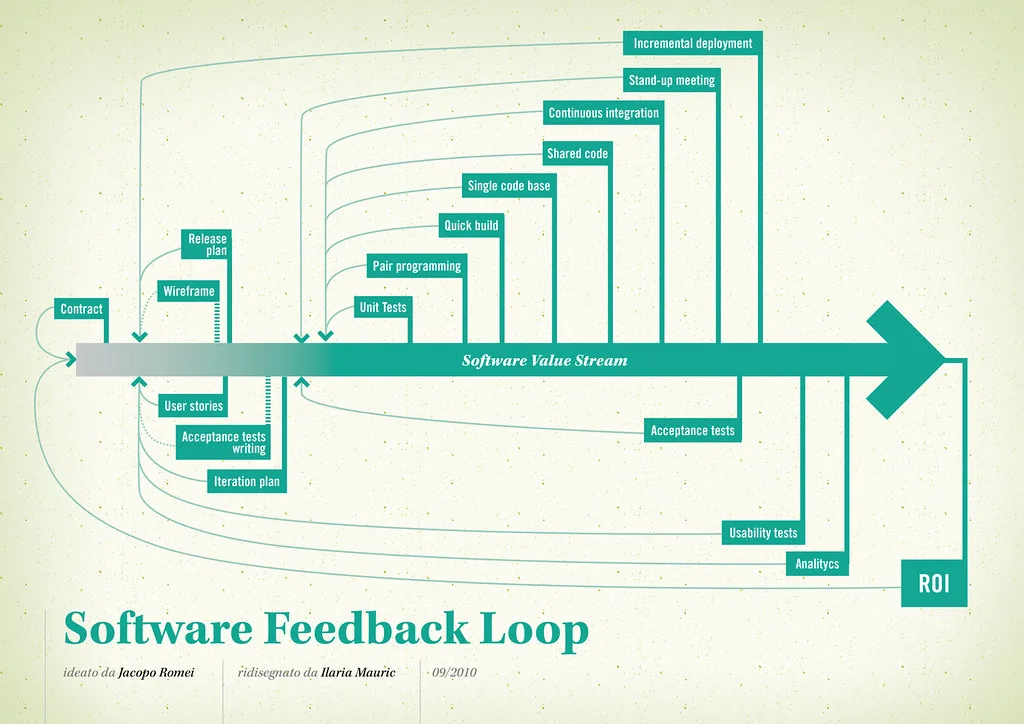
Cover image: Software value feedback loop by jakuza, licensed under BY-SA 2.0 via Openverse.