Most people treat their password manager as the last place a security problem could start. It holds every login, every recovery code, and often the answer to "what is your mother's maiden name." That concentration is exactly why it deserves a closer look. A single well-chosen target can unlock a whole digital life, and attackers know it.
The useful question is not "are password managers safe?" The honest answer is that they are far safer than the alternatives most people actually use, which is reusing a handful of memorable passwords across dozens of sites. The better question is: where does a password manager's risk actually sit, and what can you control? Those answers are more specific, and more actionable, than the usual reassurance or panic.
This guide walks through the real threat model, the failure modes that have shown up in practice, a worked example of exposure, a comparison of vault architectures, and a hardening checklist you can finish in an afternoon. Along the way, I'll point you to related LionScripts resources where they fit the problem.
Key Takeaways
- A password manager's main risk is concentration: one compromised master credential can expose everything inside.
- Zero-knowledge architecture means the provider cannot read your vault, but it does not protect a weak master password or an infected device.
- Your master password and account recovery settings are the real attack surface, not the encryption algorithm.
- Enable a second factor that is not SMS, keep an offline backup of your recovery material, and audit shared or stale entries.
- Treat the browser extension and the device as part of the vault. Malware on the endpoint defeats strong crypto.
- Reusing passwords across sites remains a far larger everyday risk than any realistic password manager flaw.
What Is a Password Manager Security Risk, Exactly?
A password manager security risk is any way an attacker can gain access to the credentials stored in a password vault, or to the means of unlocking that vault. The vault itself is usually encrypted. So the realistic attack paths target the edges: the master password, the device where the vault is unlocked, the sync and recovery systems, or the people who have access to shared items.
Think of it as four distinct layers, each with its own failure mode:
- The master credential: Weak, reused, or phishable master passwords are the most common entry point.
- The endpoint: Keyloggers, clipboard hijackers, and malicious browser extensions operate after you have unlocked the vault.
- The service: Server-side bugs, account recovery abuse, and compromised provider infrastructure.
- The human layer: Sharing too broadly, falling for lookalike login pages, or leaving recovery codes in plain text.
Notice what is missing from that list: a practical, unauthenticated cracking of properly derived vault encryption. Well-designed managers use key derivation functions such as PBKDF2, Argon2, or scrypt with substantial iteration counts, which make offline guessing expensive. The weak link is almost never the cipher.
How Do Password Managers Protect Your Vault?
Most modern managers use a zero-knowledge design. Your master password is run through a key derivation function on your device, producing a key that encrypts the vault before it ever leaves your machine. The provider stores only ciphertext. In principle, even an employee or a court order cannot read your entries, because the provider never holds the key.
Three terms matter here:
- Key derivation: Turning a password into an encryption key slowly enough that guessing is costly. Look for Argon2id or high-iteration PBKDF2.
- Zero-knowledge: The provider cannot decrypt your vault. Verify this in the vendor's security whitepaper rather than trusting marketing copy.
- Vault encryption at rest and in transit: Standard, but necessary. It protects the data during sync, not just on the server.
Zero-knowledge design is a strong guarantee against the provider. It is not a guarantee against a weak master password on your side, or against malware that reads the decrypted data once you are logged in. Keep both truths in mind as you read the rest of this article.
What Real Failure Modes Should You Plan For?
Breaking the risk into concrete scenarios makes it easier to defend against. These are the patterns that matter most in practice.
Phishing for the master password
A convincing clone of your manager's login page can harvest your master password. Some attackers go further and prompt for a one-time code in real time, relaying it to the genuine site. The defense is simple to state and easy to skip: always navigate to the vendor by bookmark or by typing the address, and use a manager that autofills only on exact-match domains.
Endpoint compromise after unlock
Once the vault is unlocked, anything running with your privileges can read decrypted entries. Infostealer malware specifically targets browser-stored and manager-stored credentials. A password manager does not make an infected laptop safe. It only means the attacker needs a different route in.
Malicious or overprivileged browser extensions
Your password manager's browser extension is powerful by design: it reads page contents to autofill. That same power is what a malicious extension would want. Audit what permissions any extension has, and install only from the official store listing. For a deeper method, our guide on browser extension permissions explained walks through what each permission actually grants.
Recovery and account reset abuse
Account recovery is a backdoor by design. If your provider offers recovery through email or support, an attacker who controls your email may be able to reset access. Recovery codes printed and stored carelessly are an equal risk in the other direction.
Shared vault over-exposure
Shared folders are convenient and frequently over-shared. A former contractor who still has access to a team vault represents a live credential exposure. Review sharing quarterly.
Worked Example: How Much Does One Weak Master Password Actually Expose?
Let's make the exposure concrete. Say you have 47 passwords across 12 services you use regularly: banking, email, cloud storage, a work VPN, shopping, social accounts, and a few developer tools. Your vault holds all 47 entries, and your email account is the recovery address for 30 of them.
Now compare two setups:
- Setup A: Master password is "Summer2024!" with no second factor. Email recovery is enabled. Recovery codes sit in an unencrypted note on the desktop.
- Setup B: Master password is a 6-word random passphrase of about 77 bits of entropy. A hardware key or authenticator app is required at unlock. Email recovery is protected by its own separate passkey. Recovery codes are printed and stored in a locked drawer.
In Setup A, a phishing page or a password-spray attack against your email can expose the vault and reset the rest of your accounts, potentially touching all 47 credentials and every service that trusts that email address. Setup B forces an attacker to defeat at least three independent controls: the passphrase, the second factor, and the recovery protection. Each added control multiplies the work required, and most opportunistic attackers give up well before the third.
The difference between these setups is not cryptographic sophistication. It is four or five settings and about thirty minutes of work.
How Do the Main Vault Architectures Compare?
Not every password manager is built the same way. The choices you make about architecture shape your exposure more than brand loyalty does. Here is how common approaches compare on the criteria that matter most:
| Criterion | Cloud zero-knowledge manager | Self-hosted manager | Local-only encrypted vault | Browser built-in storage |
|---|---|---|---|---|
| Provider can read vault | No (by design) | No (you host it) | No (no provider) | Depends on browser account sync |
| Cross-device sync | Built in | Requires your setup | Manual or via your own sync | Built in |
| Recovery if you lose access | Provider recovery options | Your responsibility | Your backup only | Account recovery |
| Operational burden | Low | High | Medium | Low |
| Exposure to provider breach | Ciphertext only | None from a vendor | None | Tied to browser account security |
| Typical best fit | Most individuals and teams | Technical users with ops capacity | Air-gapped or high-sensitivity use | Low-stakes logins only |
For most readers, a reputable cloud zero-knowledge manager with strong second-factor protection is the sensible default. Self-hosting trades vendor risk for operational risk, and that trade only pays off if you will actually patch and back up the server. Local-only vaults are excellent until you lose the device and your backup at the same time.
How Do You Harden Your Password Manager Step by Step?
Work through this list in order. Each step is independent, so you can stop at any point and still be better off than before.
- Replace your master password with a passphrase. Use four to six random words, generated by a tool rather than chosen by you. Store it nowhere digital except your memory and, if needed, a sealed physical backup.
- Enable a phishing-resistant second factor. Prefer a hardware security key or passkey over SMS codes, which can be intercepted through SIM-swap attacks.
- Lock down account recovery. Set up recovery through a separate, strongly protected channel. If your email is the recovery route, secure that email with its own passkey and second factor first.
- Generate and store recovery codes offline. Print them, store them in a locked location, and do not photograph them or paste them into a notes app.
- Audit your entries. Find reused, weak, and breached passwords using the manager's built-in report. Rotate the high-value ones first: banking, email, and the vault's own recovery accounts.
- Review the browser extension. Confirm it comes from the official store, check its listed permissions, and remove any extensions you no longer use.
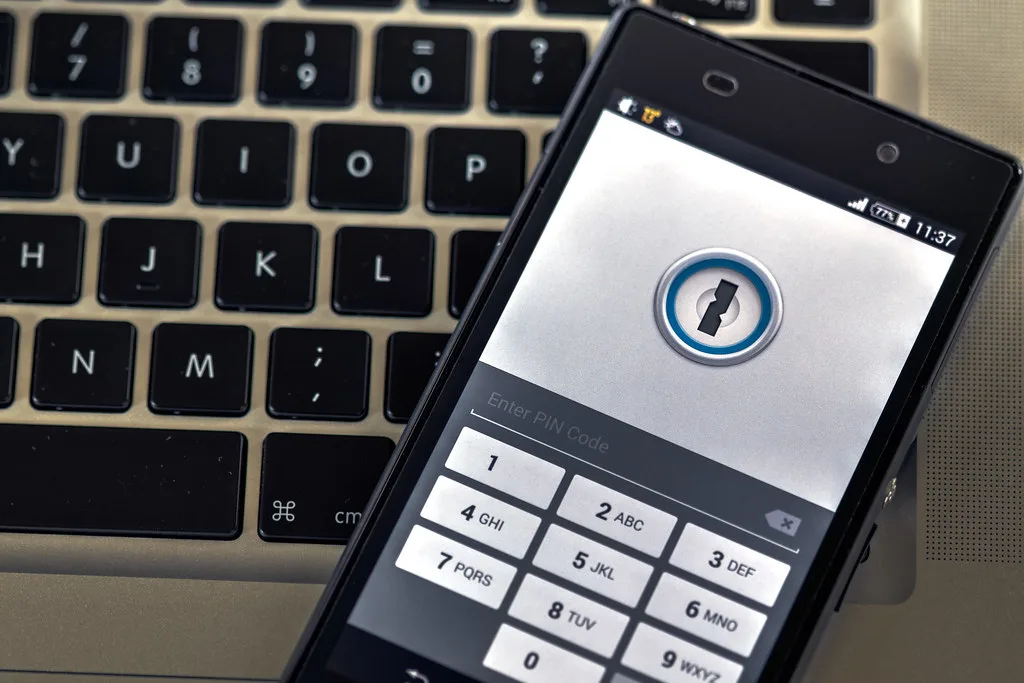
- Set an auto-lock timeout.Cover image: Phone security by Ervins Strauhmanis, licensed under BY 2.0 via Openverse.