
Last year I lost a hard drive. Not corrupted, not slowly failing with SMART warnings I could have caught. It just clicked once, spun down, and never came back. On it sat three months of client project files, a personal photo library I had lazily "meant to back up soon," and a database export I needed the next morning. I recovered almost all of it, but only because I had followed a discipline I preach constantly and occasionally ignore myself: the 3-2-1 backup strategy.
Here is a statistic that should keep you up at night. According to multiple industry surveys, roughly 60% of small businesses that suffer catastrophic data loss shut down within six months. And it is rarely a dramatic ransomware headline that gets them. It is a dropped laptop, an accidental rm -rf, a sync conflict that silently overwrites the good version with the empty one. Data does not usually die in an explosion. It dies from neglect.
In this article I will walk you through what the 3-2-1 rule actually means in 2026, how cloud backup and local backup differ in ways that matter, a real worked example with real numbers, a side-by-side comparison of backup approaches, and a step-by-step plan you can implement this weekend. By the end you will have a system that survives a dead drive, a stolen laptop, a ransomware hit, and a fat-fingered delete.
Key Takeaways
- The 3-2-1 rule means 3 copies of your data, on 2 different media types, with 1 copy stored offsite.
- Local backups win on speed and control; cloud backups win on disaster survivability. You need both, not one.
- An unversioned backup that syncs instantly is not a backup. It is a mirror that will happily copy your mistakes.
- Test your restores at least quarterly. An untested backup has roughly a 50/50 chance of being useless when you need it.
- Encrypt anything that leaves your building, and keep your encryption keys separate from the backup itself.
- Automate the whole thing. Backups that depend on you remembering will eventually fail, because you will eventually forget.
What the 3-2-1 Backup Strategy Actually Means
The 3-2-1 backup strategy is a simple rule that has survived every technology shift since it was coined by photographer Peter Krogh. It reads like this:
- 3 copies of your data. The original plus two backups. If one copy is your working file, you still have two fallbacks.
- 2 different media types. Do not put all your eggs in one storage technology. A local SSD and an external HDD count as two. A local SSD and a cloud bucket count as two.
- 1 copy offsite. At least one backup must live somewhere physically separate. A fire, flood, or theft that hits your office should not be able to reach it.
The genius of the rule is that it defends against different failure modes at once. Multiple copies protect against corruption and deletion. Multiple media types protect against a technology-specific flaw, like a batch of bad drives from the same manufacturer. The offsite copy protects against physical disaster.
A lot of people think they follow 3-2-1 when they really do not. Two folders on the same laptop is one copy on one medium in one location. A file synced to Dropbox and sitting on your desktop is closer, but if it syncs instantly and keeps no history, a ransomware encryption or accidental overwrite propagates to both instantly. That is the trap.
Why "sync" is not "backup"
This distinction matters more than any other in this article. Sync mirrors the current state. Backup preserves past states. If you delete a file and your sync tool obediently deletes it everywhere within seconds, sync just helped destroy your data faster.
Real backup keeps versions. It lets you go back to how a file looked last Tuesday, before the corruption, before the mistake. When you evaluate any backup tool, the first question is: how many versions does it keep, and for how long?
Cloud Backup vs Local Backup: The Honest Tradeoffs
People love to argue that one is better. The truth is they solve different problems, and a serious strategy uses both. Local backup is your fast lane for everyday recovery. Cloud backup is your insurance policy against the building burning down.
Local backup strengths
- Speed. Restoring 500 GB from a USB 3.2 external drive takes minutes. From the cloud it can take hours or days depending on your connection.
- Control. Your data never leaves your possession. No third party, no subpoena risk, no vendor going out of business.
- Cost over time. A one-time hardware purchase beats a monthly subscription over several years for large datasets.
Local backup weaknesses
- Sits in the same room as the original. A single fire, flood, or burglar takes both.
- Requires discipline to rotate drives and store copies offsite manually.
- Hardware ages and fails silently if you never check it.
Cloud backup strengths
- Offsite by default. Your data is already physically separate from your workspace.
- Automatic offsite rotation. No swapping drives or driving to a bank vault.
- Geographic redundancy. Reputable providers replicate across multiple data centers.
Cloud backup weaknesses
- Restore speed is bound by your internet upload and download limits.
- Ongoing cost that never stops as long as you keep the data.
- You are trusting a third party's security, availability, and business survival.
Cloud vs Local vs Hybrid: A Side-by-Side Comparison
Here is how the three common approaches stack up on the criteria that actually determine whether your data survives a bad day.
| Criteria | Local Only | Cloud Only | Hybrid (3-2-1) |
|---|---|---|---|
| Restore speed | Excellent | Poor to fair | Excellent (local first) |
| Disaster survivability | Poor | Excellent | Excellent |
| Ransomware resilience | Fair (if offline) | Good (with versioning) | Excellent |
| Ongoing cost | Low | Medium to high | Medium |
| Setup effort | Low | Low | Medium |
| Privacy control | Full | Depends on provider | High (encrypt cloud copy) |
The pattern is obvious. Local only fails the disaster test. Cloud only fails the speed test. Hybrid, which is exactly what 3-2-1 produces, is the only column without a serious weakness. That is not a coincidence. The rule was designed to eliminate single points of failure.
A Worked Example: Backing Up a Freelance Designer's Setup
Let me make this concrete. Say you are a freelance designer named Priya with a single MacBook Pro. Here is her data inventory:
- Active client projects: 180 GB, changes daily
- Photo and asset library: 640 GB, rarely changes
- Business documents and invoices: 12 GB, changes weekly
- System and app settings: 90 GB, changes occasionally
Total: roughly 922 GB. Her original copy lives on the laptop's internal SSD. That is copy one, on one medium, in one location. She is one dropped bag away from disaster.
Building her 3-2-1 system
- Copy two, local: Priya buys a 2 TB external SSD for about $120. She runs Time Machine hourly. This gives her fast versioned local restores. Media type: external SSD. Location: her desk.
- Copy three, offsite: She subscribes to a cloud backup provider for around $7 per month for unlimited personal backup. The first full upload of 922 GB over a 40 Mbps upload connection takes roughly
922 GB × 8 ÷ 40 Mbps ≈ 51 hoursof continuous transfer, spread across a few days. After that, only daily changes upload, which is a few gigabytes at most.
Now count it. Three copies: laptop, external SSD, cloud. Two media types: SSD and cloud storage. One offsite: the cloud copy. Priya is compliant.
The before and after
Before: A stolen laptop means total loss. Every client project gone, every invoice gone, the entire photo library gone. Business over.
After: A stolen laptop means she buys a new one, restores 180 GB of active projects from the external SSD in about 20 minutes, and pulls the rest from the cloud over the following day while she keeps working from the local restore. Downtime measured in hours, not months.
Ransomware Changed the Rules: The 3-2-1-1-0 Update
The classic rule predates modern ransomware, which specifically hunts for and encrypts connected backups. That is why many professionals now extend it to 3-2-1-1-0:
- 1 copy immutable or offline (air-gapped). A backup ransomware cannot reach because it is either physically disconnected or write-locked at the storage layer.
- 0 errors on verification. Every backup is tested and confirmed restorable.
The immutable copy is the difference between paying a ransom and shrugging it off. If your attacker encrypts your live server and your connected backup drive but cannot touch your offline drive or your versioned immutable cloud snapshots, you simply wipe and restore.
If you run a website, ransomware and defacement are not hypothetical. A compromised plugin can lock or destroy your files in minutes. I have written before about how to detect and contain an exploited WordPress plugin fast, and the single biggest factor in recovery speed is whether the victim had clean, versioned backups ready to restore. Pair that with a habit of running an audit of WordPress plugin vulnerabilities before they get exploited and you close both the front door and keep a fire escape.
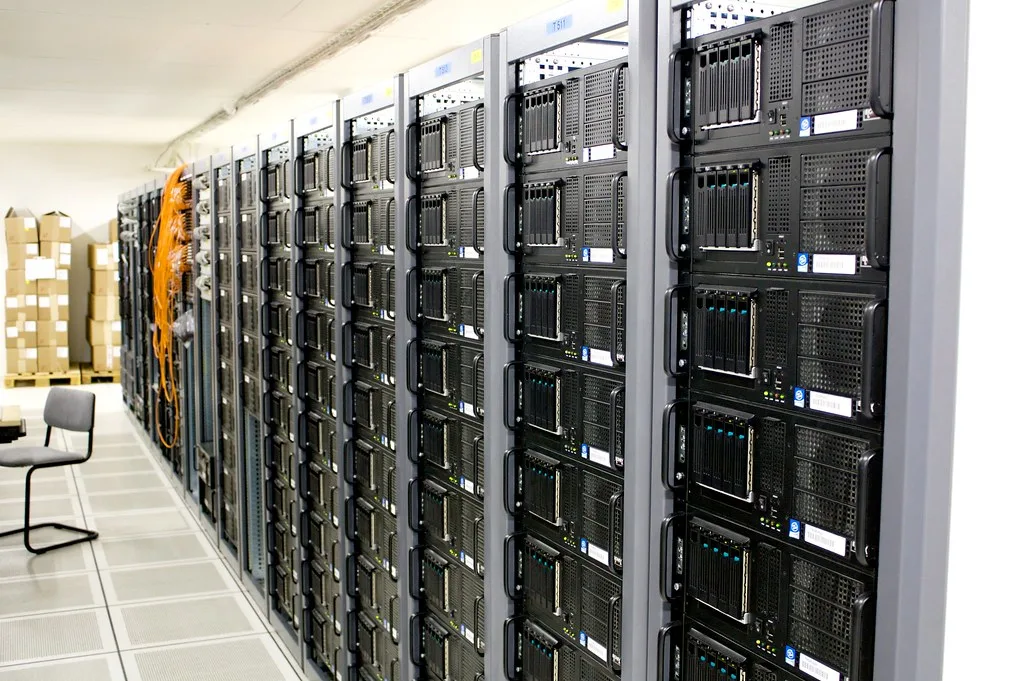
Cover image: Server room by torkildr, licensed under BY-SA 2.0 via Openverse.






