
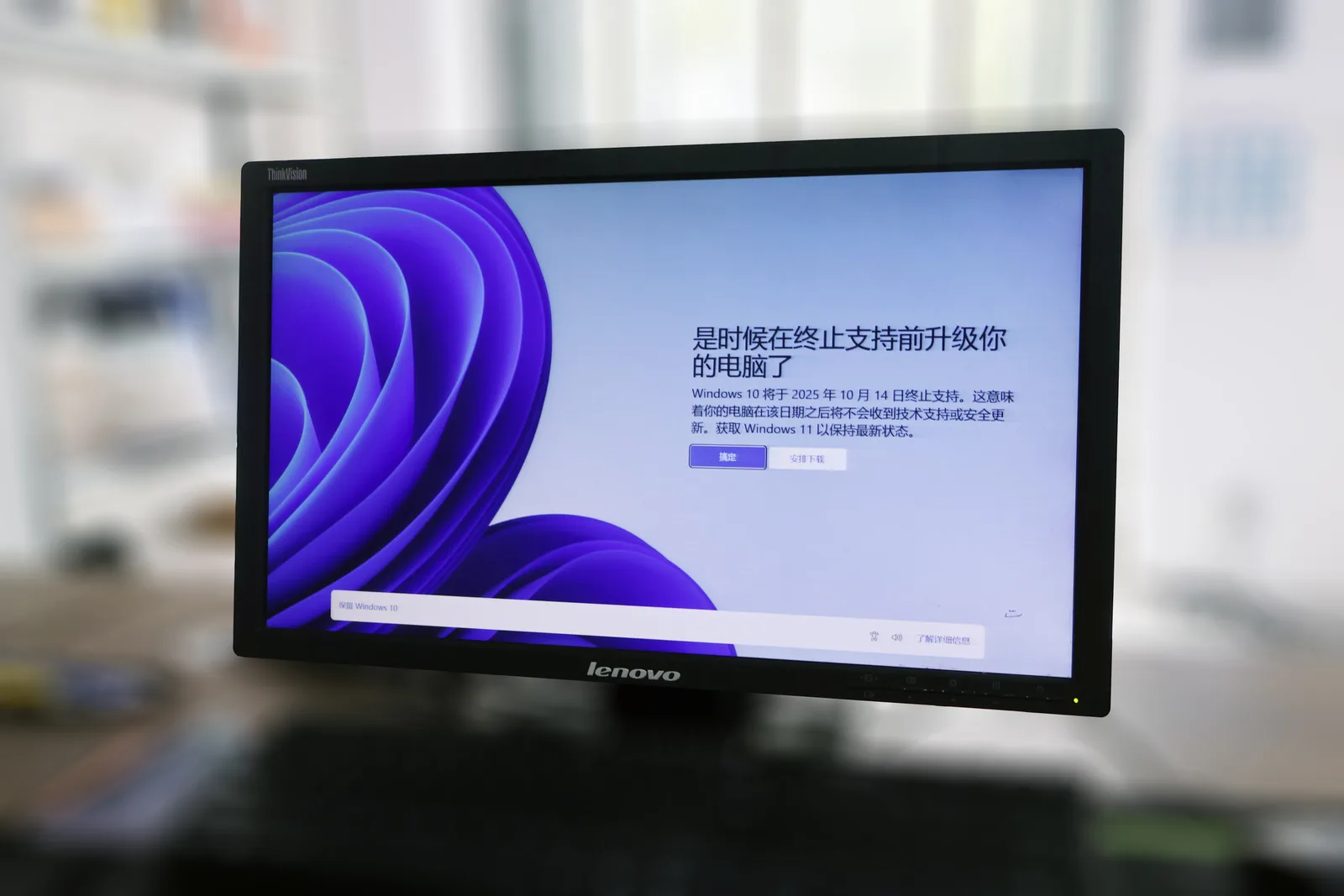
On October 14, 2025, Microsoft officially stopped shipping free security updates for Windows 10. If you are still running it, your PC did not suddenly stop working, but the ground shifted underneath it. Every unpatched vulnerability discovered from that day forward is a permanent open door unless you pay for Extended Security Updates (ESU) or move to something newer.
Here is the surprising part: Microsoft's own telemetry and third-party analytics firms like StatCounter show that Windows 10 still powered roughly 40% of all Windows desktops well into 2025. That is hundreds of millions of machines. Many of them cannot upgrade to Windows 11 because they lack a TPM 2.0 chip or a supported CPU. So the real question is not "should I upgrade Windows" but "should I stay on Windows at all?"
This article walks you through the three honest options: paying for Windows 11 or ESU, switching to Linux, or moving to macOS. We will use real costs, a hardware-eligibility example, a side-by-side comparison table, and a step-by-step migration plan so you can make the call with your eyes open.
Key Takeaways
- Windows 10 EOL means no more free security patches as of October 14, 2025. Consumer ESU buys you one extra year for around $30.
- If your PC lacks TPM 2.0 or a supported CPU, Windows 11 is officially off the table without unsupported hacks.
- Linux (Ubuntu, Linux Mint, Fedora) revives older hardware for free and is the cheapest long-term path.
- macOS is the best fit only if you are willing to buy new Apple hardware; you cannot legally run it on your existing PC.
- Back up everything and inventory your essential apps before you touch anything.
- Whatever OS you land on, harden it and audit your software supply chain from day one.
What "Windows 10 End of Life" Actually Means for You
End of life does not mean your computer stops booting. It means Microsoft no longer ships:
- Security updates that patch newly discovered vulnerabilities
- Bug fixes and reliability improvements
- Technical support from Microsoft for OS-level issues
Your antivirus may keep updating for a while, and apps like Chrome and Firefox will run for a year or two more. But the operating system itself becomes a growing target. Attackers specifically hunt EOL systems because they know the holes will never be closed.
Microsoft did throw consumers a lifeline: a one-year Extended Security Updates program for around $30 (or free if you sync your settings to a Microsoft account). That buys you until October 2026. It is a bridge, not a destination.
Can Your PC Even Run Windows 11?
Windows 11 requires TPM 2.0, Secure Boot, and a CPU on Microsoft's approved list (roughly Intel 8th-gen and newer, or AMD Ryzen 2000 and newer). Run the PC Health Check app to find out. Millions of otherwise-fine 2016-2017 machines fail this test, which is exactly why the Linux and macOS questions matter now.
Option 1: Staying on Windows (ESU or Windows 11)
The path of least resistance is staying in the Microsoft ecosystem. There are two flavors.
Buy One Year of ESU
If your hardware is too old for Windows 11 and you are not ready to migrate, ESU is a reasonable stopgap. It costs about $30 for a consumer license covering the machine through October 2026. Use that year to plan, not to procrastinate.
Upgrade to Windows 11
If your PC passes the hardware check, Windows 11 is a free upgrade. The catch is that Windows 11 leans hard into cloud accounts, telemetry, and its Copilot AI assistant. Before you trust that assistant with your data, it is worth learning how to audit your Windows 11 Copilot data so you know what is being collected and where it goes.
If you stay on Windows and manage a website or store from it, this is also a good moment to lock down your dev workflow. Tools like Windows Symlink Creator Pro and the broader range of Windows software on LionScripts can smooth out the developer experience that Windows 11 changed.
Option 2: Switching to Linux (The Best Fit for Older Hardware)
Linux is the reason your 2015 laptop does not have to become e-waste. It is free, it runs fast on modest hardware, and modern distributions have closed most of the usability gap with Windows.
Which Distribution Should You Pick?
- Linux Mint — The friendliest landing spot for Windows refugees. Its Cinnamon desktop feels familiar: a taskbar, a start menu, a system tray. Best default choice.
- Ubuntu — The most widely supported. Huge community, tons of documentation, works with almost everything.
- Fedora — More cutting-edge, great for developers who want newer software sooner.
- Zorin OS — Designed specifically to mimic Windows layouts, with a paid tier that adds even more Windows-like polish.
What Actually Works and What Does Not
Be honest with yourself about your app list. Web browsers, email, LibreOffice, GIMP, VLC, Steam (via Proton), and most development tools run natively or better on Linux. The friction points are:
- Adobe Creative Cloud — No native Linux version. You either use alternatives (GIMP, Krita, DaVinci Resolve) or dual-boot.
- Microsoft Office desktop — Use the web version or LibreOffice.
- Some enterprise or accounting software — Check first; many are Windows-only.
- Anti-cheat games — A few competitive titles block Linux.
One genuine advantage: when you build your Linux system from open-source parts, you can actually inspect what you install. If you are replacing a default Windows tool with a community app, follow a real process to vet an open-source app before you swap it in. And because most Linux software comes from package managers, it pays to know how to verify a package manager's repository isn't serving malware before you type sudo apt install.
Option 3: Moving to macOS (A Fresh Start with New Hardware)
macOS is a superb operating system, but there is a hard truth: you cannot legally or reliably install it on your existing PC. Apple ties macOS to Apple silicon. Choosing macOS means buying a Mac.
That is not automatically a bad deal. A base MacBook Air with the M-series chip is fast, silent, and gets seven-plus years of OS updates. If your Windows 10 laptop is dying anyway, replacing it with a Mac skips the migration-on-old-hardware headache entirely.
Who macOS Is Right For
- People already invested in an iPhone or iPad who want tight integration
- Creative professionals who rely on Final Cut, Logic, or a polished Adobe experience
- Anyone who wants a Unix-based system with a commercial support structure and a mature app store
Who Should Skip It
- Budget-conscious users with a working PC (Linux is free)
- Gamers who need the widest game library
- Anyone locked into Windows-only line-of-business software
Windows 11 vs Linux vs macOS: A Side-by-Side Comparison
Here is the honest tradeoff across the criteria that actually matter when you are choosing a windows 10 end of life alternative.
| Criteria | Windows 11 | Linux (Mint/Ubuntu) | macOS |
|---|---|---|---|
| Upfront cost | Free upgrade (if eligible) | Free | $999+ (new Mac) |
| Runs on old PC | No (TPM 2.0 required) | Yes, excellent | No |
| Software compatibility | Widest | Good, with gaps | Strong for creative work |
| Learning curve | Minimal | Low to moderate | Low to moderate |
| Privacy control | Limited (heavy telemetry) | Highest | Moderate |
| Long-term support | Until ~2031 | Indefinite (rolling) | ~7 years per device |
If cost and hardware longevity are your priorities, Linux wins. If you want zero friction and your hardware qualifies, Windows 11. If you are buying new anyway and value integration, macOS.
A Worked Example: The 2016 Laptop Decision
Let's make this concrete. Say you have a 2016 Dell laptop with an Intel Core i5-6200U, 8 GB of RAM, and a 256 GB SSD. It runs Windows 10 fine but fails the Windows 11 check because the CPU is 6th-gen and there is no TPM 2.0. You have three files that matter: your tax documents, a folder of family photos (about 40 GB), and a browser full of saved logins.
Here is how the math shakes out over three years:
- ESU path: $30 for year one, then you are stuck again in October 2026. Total: ~$30 plus a forced decision later.
- New Windows 11 laptop: $650 for a decent mid-range machine. Total: $650.
- MacBook Air: $999. Total: $999, but seven years of updates.
- Linux Mint on the same Dell: $0. The laptop feels faster than it did on Windows 10 because Mint uses less RAM at idle.
The verdict for this specific machine:Cover image: 一台系统提示从Windows10升级至Windows11的电脑 by 黎飞羽, licensed under BY 4.0 via Openverse.







