
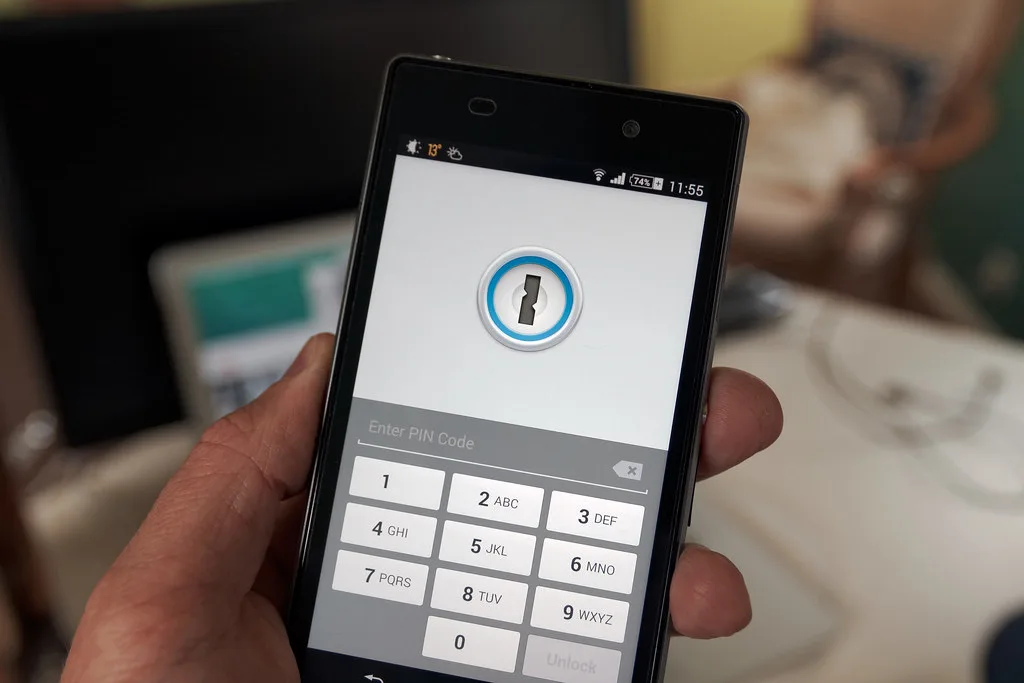
Here's a number that should make you uncomfortable: in 2024, credential stuffing and stolen passwords still accounted for the majority of confirmed data breaches, according to Verizon's Data Breach Investigations Report. Not zero-day exploits. Not sophisticated nation-state malware. Just passwords that got reused, phished, or dumped on a forum somewhere. If you've been diligently using a password manager and generating 20-character random strings, you might reasonably ask why the industry is now pushing something called passkeys at you every time you log in.
The short version: passwords, even strong ones stored in a good manager, still have a fundamental weakness. They're a shared secret. You know it, and the server knows it, and anything that intercepts that exchange can steal it. Passkeys were designed to eliminate that entire category of attack. But the migration is messy, the ecosystem is fragmented, and the marketing has gotten ahead of reality.
I've spent the past year running passkeys and a password manager side by side across roughly 40 accounts, including banking, cloud infrastructure, and my own dev tools. This article is what I wish someone had told me before I started. We'll cover how each actually works, a real cost-and-effort comparison, a worked migration example, and where the seams still show in 2026.
Key Takeaways
- Passkeys are phishing-resistant by design because there is no shared secret to steal. This is their single biggest advantage over passwords.
- Password managers are not obsolete. Most people should run both: passkeys where supported, a manager for everything else (and there is still a lot of "everything else").
- The weakest link is account recovery. A passkey login can be bulletproof while the "forgot password" flow behind it is wide open. Audit recovery, not just login.
- Sync and portability matter more than security in practice. A passkey locked to one vendor's cloud is a lock-in risk, not just a convenience question.
- For your servers and websites, login hygiene is only half the job. Layer defenses at the infrastructure level too, especially on WordPress, Joomla, and PrestaShop.
What Are Passkeys, and How Do They Actually Work?
A passkey is a pair of cryptographic keys built on the WebAuthn and FIDO2 standards. When you create a passkey for a site, your device generates two linked keys: a private key that never leaves your device (or your secure cloud keychain), and a public key that gets stored on the site's server.
Logging in works by challenge and response. The server sends your device a random challenge. Your device signs it with the private key, after you unlock it with Face ID, a fingerprint, or your device PIN. The server verifies the signature against the public key it holds. At no point does a reusable secret travel across the network.
That design kills the two most common attacks in one move:
- Phishing: A passkey is cryptographically bound to the real domain. A fake
paypa1.comlogin page cannot trigger the passkey forpaypal.com. There is nothing for you to fat-finger into the wrong box. - Database breaches: If the site gets hacked, attackers steal public keys, which are useless on their own. There is no password hash to crack offline.
The catch is that a passkey lives somewhere. On Apple devices it syncs through iCloud Keychain. On Android and Chrome it uses Google Password Manager. Third parties like 1Password, Bitwarden, and Dashlane now store passkeys too. Where your passkey lives determines how portable and recoverable it is, and that's where most of the real-world friction hides.
How Password Managers Work, and Why They're Still Everywhere
A password manager is an encrypted vault. You memorize one strong master password (or protect the vault with biometrics), and the manager stores everything else, generates strong unique credentials, and autofills them. Good managers use zero-knowledge encryption, meaning the vendor cannot read your vault even if their servers are breached.
The reason managers won't disappear: the web is enormous and inconsistent. As of 2026, a large share of sites still don't support passkeys at all, or support them only for a "sign in faster" convenience layer while keeping the underlying password fully active. A password manager covers everything, including the legacy banking portal that still enforces an 8-character maximum.
Managers also do things passkeys don't:
- Store credit cards, secure notes, software licenses, and API keys.
- Share credentials with a family or team, with granular permissions.
- Flag reused or breached passwords with a security dashboard.
- Fill legacy login forms that will never adopt WebAuthn.
If you manage a website or an online store, some of those API keys and admin credentials are the crown jewels. Storing them in a vault is the baseline, but the front door of the site itself needs its own hardening, which is a separate conversation we'll get to.
Passkeys vs Password Managers: A Direct Comparison
These aren't strictly competitors, but people ask which is "safer," so here's an honest head-to-head across the criteria that actually change outcomes.
| Criteria | Passkeys | Password Manager | Password Manager + Passkeys |
|---|---|---|---|
| Phishing resistance | Excellent (domain-bound) | Weak (you can still enter a password on a fake site) | Excellent where passkeys are used |
| Breach resistance | Excellent (no secret stored server-side) | Good if unique passwords are used | Excellent |
| Site coverage in 2026 | Partial (growing, still incomplete) | Universal | Universal |
| Portability across ecosystems | Improving but often locked to a vendor | High (export/import supported) | High |
| Recovery risk | Depends on device/cloud recovery | Master password is a single point of failure | Manageable with care |
| Setup effort | Low per site, high across many sites | Moderate one-time setup | Highest, but most complete |
The verdict most security-minded people land on: run both. Use passkeys for high-value accounts that support them properly, and keep a password manager as the universal safety net. The winner isn't a product, it's the combination.
A Worked Example: Migrating 40 Accounts Without Locking Yourself Out
Let me make this concrete. Say you have 40 accounts in your manager: 6 are critical (email, bank, cloud provider, domain registrar, GitHub, and your password manager itself), 12 are important, and 22 are low-stakes logins you barely touch.
Here's the sequence I used, and why the order matters.
- Secure the manager first. Turn on a long master passphrase (four or more random words, not a clever phrase) and enable a hardware or app-based second factor on the vault itself. If the vault falls, everything falls.
- Fix your email before anything else. Your email is the recovery mechanism for most other accounts. Add a passkey to it, keep a strong password as backup, and store printed recovery codes offline.
- Add passkeys to the 6 critical accounts, but keep the passwords. In 2026, most services treat passkeys as an addition, not a replacement. That's fine. You get phishing-resistant login and a fallback.
- Store recovery codes in the vault as secure notes. For each passkey account, I saved the backup codes as an encrypted note. If I lose all my devices, these get me back in.
- Roll passkeys to the 12 important accounts over a week. No need to rush. Add them as you naturally log in.
- Leave the 22 low-stakes accounts on manager-generated passwords. They aren't worth the effort, and many don't support passkeys anyway.
The before/after was striking. Before: 40 accounts, all relying on passwords, with my email as a phishable recovery choke point. After: 18 accounts protected by phishing-resistant passkeys, all recovery codes stored offline or encrypted, and the same universal manager coverage I always had. Total hands-on time was under two hours spread across a week.
One thing I got wrong initially: I enabled passkeys but left SMS-based recovery active on two accounts. That's a backdoor. A SIM-swap attack would sidestep the entire passkey. Audit and remove weak recovery paths as part of the migration, not after.
The Recovery Problem Nobody Talks About
Passkeys make the front door strong. The mistake is assuming the whole house is strong. In practice, the account recovery flow is usually the softest target, and it's where I've seen real people get burned.
Three recovery traps to close
- SMS fallback: If a service lets an attacker reset access with an SMS code, your passkey is decorative. Disable SMS as a recovery method wherever a stronger option exists.
- Ecosystem lock-in: A passkey synced only through one vendor's cloud can strand you if you switch phones or get locked out of that account. Storing passkeys in a cross-platform manager reduces this.
- Lost device with no backup codes: If your passkey lives on a single device and you lose it, printed recovery codes are the difference between five minutes and five days of pain.
This is the same discipline that keeps data safe more broadly. The mindset that protects a login is the mindset that protects a website, a server, and a backup set. If you're serious about resilience, pair your credential strategy with a real backup plan; our guide to immutable backups that ransomware can't touch covers the storage side of the same problem.
Login Security Is Only Half the Battle for Website Owners
If you run a WordPress site, an online store, or a client project, strong personal credentials protect your access. They don't protect the site from everything else knocking on the door: brute-force bots, malicious plugin updates, and content scrapers. Passkeys on your admin login are great; they do nothing about a vulnerable plugin.
This is where infrastructure-level defense matters. A few practical layers I recommend:
- Block hostile traffic at the source. Bots that hammer
wp-login.phpnever should have reached it. A tool like WordPress IP Blocker Pro lets you cut off ranges and repeCover image: Phone security by Ervins Strauhmanis, licensed under BY 2.0 via Openverse.







