There is a moment every developer running AI coding agents eventually hits: you kick off an autonomous loop before lunch, and when you come back the agent has "fixed" 14 files, deleted a test suite it decided was flaky, and burned through $23 in API credits chasing a bug that never existed. The loop kept running. It always keeps running. That is the whole point of an agent, and it is also the whole danger.
Here is a number that should reset your expectations: in internal benchmarks and public reports from teams running Claude Code, Aider, and OpenAI's agent modes, roughly 30 to 40 percent of unsupervised agent iterations produce changes that a human later reverts. That is not a reason to abandon agents. It is a reason to engineer the loop around them. Left alone, an agent optimizes for "task appears done," not "task is correct and safe."
This article is about loop engineering for AI coding agents: the discipline of designing the repeating cycle an agent runs inside so it stays productive, bounded, observable, and reversible. You will learn how to set stopping conditions, sandbox the blast radius, build verification gates, and control cost, with a worked example and a comparison of the main agent runners. If you run agents on repeat, this is the part nobody sold you when they demoed the flashy autonomous coding video.
Key Takeaways
- Never run an unbounded loop. Cap iterations, wall-clock time, and token spend before you start, not after.
- Sandbox first. Give agents a disposable environment with restricted file, network, and credential access so mistakes cannot escape.
- Gate every iteration with a verifier the agent cannot fake: a real test run, a type check, a linter, or a diff review.
- Make everything reversible. Commit per iteration, work on branches, and keep a one-command rollback.
- Watch cost like an on-call metric. A runaway loop is a billing incident waiting to happen.
- Log the loop, not just the output. You need to see what the agent decided and why, iteration by iteration.
What Loop Engineering Actually Means
An AI coding agent works by looping. It reads context, proposes an action, executes it, observes the result, and decides whether to continue. That cycle repeats until some condition ends it. Loop engineering is the practice of designing that cycle deliberately rather than accepting whatever defaults your tool ships with.
Most people think about the prompt. Fewer people think about the loop. But the loop is where the money is spent, the mistakes accumulate, and the safety lives. A brilliant prompt inside a badly engineered loop still gives you a $23 lunch and a deleted test suite.
A well-engineered agent loop answers six questions before it ever runs:
- When does it stop? Iteration cap, time cap, token cap, or a success signal.
- What can it touch? Which files, directories, commands, and network hosts.
- How is progress verified? Something objective, not the model's own opinion.
- How do I undo it? Branches, commits, snapshots.
- What does it cost per run? Tokens times price times iterations.
- What do I see afterward? A readable trail of decisions.
If you can answer those, you can run agents on repeat overnight and sleep. If you cannot, you are gambling.
Setting Stopping Conditions That Actually Stop
The single biggest failure mode is a loop with no hard ceiling. Agents are persistent by design. If a task is genuinely impossible, an unbounded agent will keep trying variations forever, and each variation costs tokens.
Use three independent ceilings so that whichever one trips first ends the run:
1. Iteration cap
Set a maximum number of loop cycles. For a focused bug fix, 8 to 12 iterations is plenty. For a larger refactor, 20 to 30. If the agent has not converged by then, a human should look.
2. Wall-clock cap
Even a modest iteration count can run long if each step involves slow test suites. A hard timeout of, say, 20 minutes catches the case where a single iteration hangs.
3. Token or cost cap
This is your financial fuse. Decide the maximum you will spend on one run and enforce it in the runner. If your tooling cannot enforce a spend cap natively, wrap it in a script that tracks cumulative usage and kills the process.
There is also a subtler stopping condition worth adding: the no-progress detector. If the agent produces the same diff twice, or the verification metric has not improved in three iterations, stop. Repetition is the clearest sign the model is stuck and burning money in circles.
Sandboxing: Shrinking the Blast Radius
Before you let an agent run on repeat, decide what it is physically capable of breaking. The goal is that even a maximally confused agent cannot do lasting harm.
Sandboxing works on three axes:
- Filesystem — restrict the agent to a working directory. Read-only mount everything else. Deny access to
~/.ssh,~/.aws, dotfiles, and anything holding credentials. - Network — allowlist only the hosts the task needs. An agent refactoring a local library has no business reaching arbitrary URLs. This also blocks a whole class of prompt-injection exfiltration.
- Credentials — never expose your real production keys to a loop. Use scoped, short-lived tokens or throwaway sandbox credentials.
On Windows, a lightweight trick for isolating an agent's workspace is to build it out of symbolic links so the agent sees only the files it needs while the originals stay untouched. A utility like Windows Symlink Creator Pro makes that layout repeatable instead of a fragile pile of manual mklink commands. For a broader look at hardening the environment agents run inside, our guide on locking down AI agent browsers before extensions hijack them covers the same defensive mindset applied to the browser layer.
The cleanest sandbox is still a disposable container or VM. Spin it up, mount the repo, run the loop, tear it down. Nothing the agent does survives unless you explicitly copy it out.
Verification Gates the Agent Cannot Fake
An agent will happily tell you the task is complete. Do not believe it. Every iteration should be judged by something the model does not control.
The strongest verifiers, roughly in order of reliability:
- A real test suite. The gold standard. If tests pass and coverage holds, progress is real. Make the agent run the actual tests, not describe them.
- A type checker and compiler.
tsc,mypy,cargo check, or a full build. Objective, fast, hard to game. - Linters and formatters. Catch style and obvious bug patterns cheaply.
- A diff-size guardrail. If the agent wants to change 40 files to fix one function, that is a red flag worth a human pause.
- A second model as reviewer. Useful, but weaker, because it shares the first model's blind spots.
The pattern that works: the agent proposes a change, the loop applies it in the sandbox, the loop runs the verifier, and the result of the verifier becomes the agent's next context. The agent only "wins" when the objective gate says so. This turns the loop from "keep editing until it looks done" into "keep editing until the tests pass," which is a completely different and far safer objective.
A Worked Example: Fixing a Failing Test Suite on Repeat
Let us make this concrete. Say you have a Python service with 212 tests, 18 of them failing after a dependency upgrade. You want an agent to grind through the failures overnight. Here is the engineered loop.
Step 1: Define the ceilings
Iteration cap: 25. Wall-clock cap: 40 minutes. Cost cap: $8. If any trips, stop and notify.
Step 2: Prepare the sandbox
Clone the repo into a container. Mount only the project directory. No network except the internal package index. Use a read-only copy of anything sensitive. Create a fresh branch, agent/fix-tests-2024.
Step 3: Set the verifier
The verifier is one command: pytest -q. The success metric is the failing-test count. The loop passes that number back to the agent every cycle.
Step 4: Run the loop
Each iteration: agent reads the current failures, proposes a patch, the loop applies it, runs pytest, and commits the result with a message like iter 7: 18 to 11 failing. If the failing count goes up, the loop discards the change and feeds the regression back as context.
Step 5: Watch the numbers
Here is a realistic run:
| Iteration | Failing tests | Cumulative cost | Action |
|---|---|---|---|
| 1 | 18 → 14 | $0.60 | Kept |
| 4 | 14 → 14 | $2.10 | Discarded (no progress) |
| 7 | 14 → 6 | $3.80 | Kept |
| 11 | 6 → 6 | $5.40 | Discarded |
| 14 | 6 → 0 | $6.90 | Kept, loop exits on success |
The loop stopped itself at zero failures, under budget, in 14 iterations. Every step is a git commit, so if iteration 7's fix was ugly you can review just that diff. And because the whole thing ran in a sandbox, the worst case was a discarded branch, not a broken production service.
Notice how the no-progress discards at iterations 4 and 11 saved you from wasted spend. Without those, the agent might have thrashed on the same idea for five cycles.
Agent Runners Compared: Which Loop Fits Your Work
Not every tool gives you the same control over the loop. Here is how the common runners stack up on the features that matter for safe repeated execution.
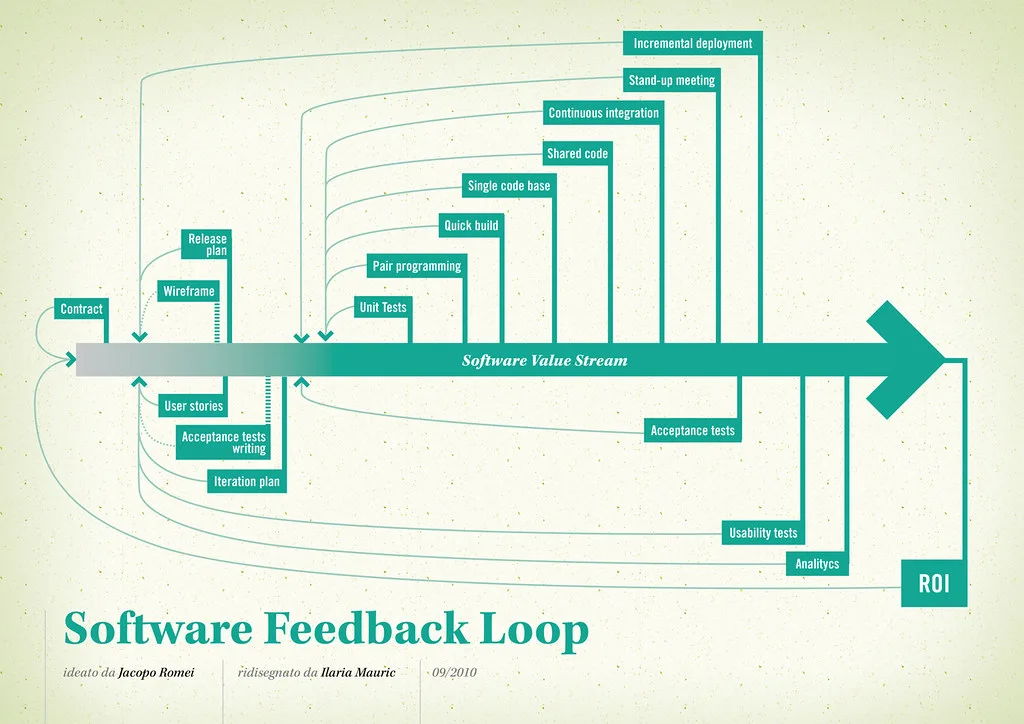
| Tool | Built-in iteration cap | Native cost tracking | Sandboxing | Cover image: Software value feedback loop by jakuza, licensed under BY-SA 2.0 via Openverse.
|---|