If you write code for a living, you have probably already picked a side in the AI assistant wars. Maybe you live inside GitHub Copilot's autocomplete. Maybe you jumped ship to Cursor and never looked back. Maybe you are quietly running Sourcegraph Cody against a monorepo that would make most tools cry. What almost nobody has done is use all three seriously, on real production work, for months at a stretch.
I have. Over the past year I shipped features across a TypeScript SaaS backend, a legacy PHP e-commerce site, and a Rust CLI tool, rotating between Copilot, Cursor, and Cody as my primary assistant. The results surprised me. One tool is measurably faster for greenfield code. Another is dramatically better at understanding a large existing codebase. And the "best" one changes depending on whether you are a solo developer or part of a 40-person engineering org.
Here is the stat that reframed how I think about this: in my own tracking across roughly 320 coding hours, the assistant I used made a difference of about 18% in feature completion time on unfamiliar codebases, but almost no difference on code I already knew cold. The tool matters most exactly when you understand your problem least. This article breaks down which one earns the title of best AI coding assistant 2026 for your specific situation, with real numbers and honest tradeoffs.
Key Takeaways
- Cursor wins for fast, multi-file editing and greenfield projects thanks to its agent mode and native editor experience.
- Cody wins for large or legacy codebases because of its superior repository-wide context and code graph search.
- Copilot wins for teams already inside the GitHub ecosystem and for the lowest-friction autocomplete.
- Model choice now matters less than context handling. All three route to similar frontier models in 2026.
- Budget roughly $10–$20 per developer per month, and expect a real 2–4 hour learning curve before productivity gains show up.
- Never paste secrets into any assistant chat, and audit what each tool sends to its servers before rolling it out to a team.
What an AI Coding Assistant Actually Does in 2026
The category has matured well beyond autocomplete. A modern AI coding assistant does four distinct jobs, and the tools differ sharply on each:
- Inline completion — predicting the next few lines as you type. This is the original Copilot magic and now table stakes.
- Chat with codebase context — answering "where is the auth logic?" by actually reading your files, not guessing.
- Agentic editing — you describe a change in plain English and the tool edits multiple files, runs commands, and iterates until tests pass.
- Refactoring and explanation — turning a 200-line spaghetti function into something a new hire can read.
In 2026 the frontier models under the hood have largely converged. Copilot, Cursor, and Cody all give you access to comparable top-tier models. So the real differentiator is no longer raw intelligence. It is how much of your code the tool can see and reason about at once, and how smoothly it edits.
Why context beats model choice
Here is the mental shift that took me too long to make: a slightly weaker model with your entire repository indexed will beat a slightly smarter model that only sees the open file. Context is the whole game. When I asked each tool "does this change break any callers?", the tool that could search my full code graph answered correctly. The one limited to the current buffer confidently invented an answer.
Copilot vs Cursor vs Cody: The Head-to-Head Comparison
Let me get to the table you came for. I scored each tool on the six criteria that actually predicted my productivity, using a 1–5 scale where 5 is best.
| Criteria | GitHub Copilot | Cursor | Sourcegraph Cody |
|---|---|---|---|
| Inline completion quality | 5 | 5 | 3 |
| Multi-file agent editing | 4 | 5 | 3 |
| Large / legacy codebase context | 3 | 4 | 5 |
| Editor integration | 5 (VS Code, JetBrains) | 5 (its own editor) | 4 (VS Code, JetBrains) |
| Team / enterprise controls | 5 | 3 | 5 |
| Value for money | 4 | 4 | 4 |
No single tool sweeps the board, which is exactly why the "best" answer depends on you. Below I break down each one from the perspective of actually living inside it.
GitHub Copilot: The Safe Default That Keeps Getting Better
Copilot is the assistant most developers already have, and there is a good reason it stays popular. Its inline completions are still the fastest and least intrusive of the three. When I am writing code I already understand, Copilot stays out of my way and finishes my thoughts with eerie accuracy.
The 2026 version added a genuinely useful agent mode inside VS Code and a much better chat that can pull in workspace context. For teams already on GitHub, the integration is unbeatable: pull request summaries, code review suggestions, and organization-wide policy controls all live in one place.
Where Copilot falls short
- Its codebase understanding is good but not great on very large repos. It reasons about your workspace, not a full indexed code graph.
- Agent mode is competent but a step behind Cursor's polish and speed.
- You are somewhat locked into the GitHub and Microsoft worldview.
Best for: Developers and teams already living in GitHub who want the lowest-friction, most reliable option. If you value stability over cutting-edge features, this is your pick.
Cursor: The Speed Demon for Building New Things
Cursor is a fork of VS Code, which means it is not a plugin bolted onto your editor. The AI is the editor. That difference sounds cosmetic until you use it. The agent mode, tab completion, and multi-file edits feel like one coherent product rather than three features fighting for the same sidebar.
On greenfield work, Cursor was my clear winner. I built a small Rust CLI tool from an empty directory in about 90 minutes using its agent, describing features in plain English while it scaffolded files, wrote tests, and fixed its own compile errors. The same task in Copilot took closer to 130 minutes because I was doing more of the file-to-file glue work myself.
A worked example: adding a feature end to end
Say you need to add rate limiting to an Express API. Here is how the Cursor workflow actually went for me:
- Opened agent mode and typed: "Add IP-based rate limiting to all routes under
/api, 100 requests per 15 minutes, return 429 with a JSON error." - Cursor identified the middleware directory, created
rateLimiter.ts, and wired it into the router. - It ran
npm test, saw a failing test that assumed no rate limiter, and asked whether to update the test. I said yes. - Total elapsed time: 6 minutes. Manual equivalent: roughly 25 minutes including reading the rate-limit library docs.
That 4x speedup is real, but it comes with a catch. On my large legacy PHP project, Cursor sometimes missed callers in distant files that a full code-graph search would have caught. Speed and total-repo comprehension are still in tension.
Where Cursor falls short
- You have to switch editors, which is a real barrier if your team standardizes on JetBrains.
- Enterprise governance is thinner than Copilot's or Cody's.
- It can be over-eager, editing more than you asked. Review its diffs carefully.
Best for: Solo developers, startups, and anyone building new projects fast. If you can adopt a new editor, Cursor is the most fun and often the most productive of the three.
Sourcegraph Cody: The Codebase Whisperer
Cody comes from Sourcegraph, a company that spent a decade building code search for enormous repositories. That heritage shows. When I pointed Cody at my 400,000-line legacy codebase and asked "explain how orders get from cart to fulfillment," it traced the actual flow across a dozen files. Cursor and Copilot gave plausible-sounding summaries that were partly wrong.
Cody's superpower is its code graph. It does not just embed your files, it understands references, definitions, and how code connects. For refactoring across a big codebase or onboarding onto unfamiliar code, nothing else came close.
Where Cody falls short
- Inline completions are noticeably weaker than Copilot's or Cursor's. It felt a half-step behind on raw autocomplete.
- The agentic editing experience is less polished than Cursor's.
- The setup rewards effort. You get the most value once your repos are properly indexed.
Best for: Engineers working in large or legacy codebases, and enterprises that need strong search plus governance. If your daily pain is "I don't understand this code," Cody is the answer.
How to Choose the Right Assistant for Your Situation
Skip the hype and match the tool to your actual work. Here is the decision path I give people who ask:
- Are you building mostly new code? Start with Cursor. Its agent speed pays off fastest on fresh projects.
- Do you spend your days in a huge or old codebase? Choose Cody. Repository comprehension is where it dominates.
- Is your team deep in the GitHub ecosystem? Copilot's integration and admin controls will save you the most friction.
- Are you unsure? Run a two-week trial on a real task, not a toy demo. Measure completion time honestly.
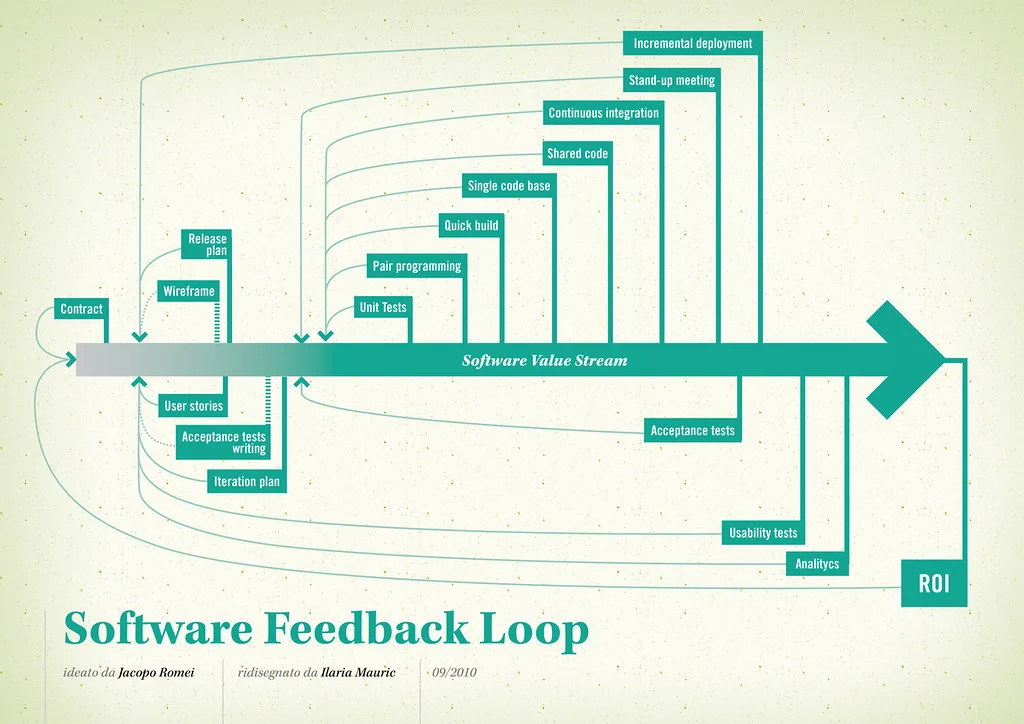
Whatever you pick, the tool is only one layer of a healthy setup. If you build web software, pairing your assistant with hardened site protections matters just as much as clever autocomplete. Teams shipping WordPress projects, for instance, lean on tools like eDarpan WordPress Protection and a solid WordPress IP Blocker Pro setup so that AI-generated endpoints do not become AI-generated attack surface. You can browse the full range in the Cover image: Software value feedback loop by jakuza, licensed under BY-SA 2.0 via Openverse.