Every time you click "Sign in with Google" or authorize a shiny new app to "read your calendar," you hand over a key. Not a password, but something arguably more dangerous: a long-lived OAuth token that lets a third party act on your behalf, often without you typing anything again. Most people forget these grants exist five minutes after clicking "Allow."
Here is the uncomfortable number. In a typical Google Workspace or Microsoft 365 tenant with 50 employees, security audits routinely turn up 200 to 600 active OAuth grants, and studies from cloud security vendors have found that roughly a quarter of them are either abandoned, over-permissioned, or tied to apps the company no longer uses. Each dormant grant is a standing door into your mailbox, your files, or your contacts. Attackers love OAuth tokens because they sidestep multi-factor authentication entirely. Once granted, a token keeps working even after you rotate your password.
This guide walks you through how to audit OAuth app permissions the way a security engineer would: finding every grant, scoring its risk, revoking the junk, and building a repeatable process so the mess never rebuilds. You will get a worked example with real scope names, a comparison of the major providers' audit tools, and a step-by-step revocation walkthrough you can run today.
Key Takeaways
- OAuth grants outlive passwords. Revoking access is a separate action from changing your password, and most people never do it.
- Scope is everything. A read-only
calendar.readonlygrant is trivial; amail.google.comfull-mailbox grant is a breach waiting to happen.- Audit on a schedule. Review personal grants quarterly and organizational grants monthly.
- Watch for consent phishing. Attackers now trick users into granting real OAuth access rather than stealing passwords.
- Revoke, don't just delete the app. Uninstalling an app rarely revokes its token.
- Log what you removed. Keep a record so you can spot re-authorizations that shouldn't happen.
What an OAuth App Grant Actually Is (and Why It Leaks)
OAuth is the protocol behind "Sign in with…" buttons and third-party integrations. Instead of giving an app your password, you authorize it to receive an access token and usually a refresh token. The app then uses those tokens to call APIs on your behalf.
The leak risk comes from three properties of these tokens:
- They persist. A refresh token can stay valid for months or indefinitely until explicitly revoked.
- They ignore MFA. Because you already consented, the token doesn't re-prompt for your second factor.
- They inherit broad scopes. Many apps request far more access than they need, and users click through without reading.
Consider the real-world scope https://www.googleapis.com/auth/gmail.modify. It sounds mild. In practice it lets an app read every message, mark things read, and move or trash mail. Now imagine that grant belongs to a "free email signature generator" you tried once in 2022. That is a live pipe into your inbox that you completely forgot about.
The consent phishing angle
Attackers have shifted tactics. Rather than steal passwords, they build convincing apps named things like "Document Viewer" or "Secure File Sync," then send a legitimate-looking OAuth consent link. You approve it, and they get a token no password reset can kill. This is why auditing grants matters even if your credentials have never been phished. The same investigative mindset applies when you vet browser extensions before granting AI panel access, since extensions and OAuth apps both trade convenience for standing permissions.
A Worked Example: Auditing 63 Grants in One Google Account
Let me make this concrete. When I audited my own personal Google account last spring, the permissions page listed 63 apps with account access. Here's roughly how they broke down after 90 minutes of triage:
- 21 grants were tools I still use weekly (calendar apps, my note tool, a design app). Kept.
- 18 grants were sign-in-only, meaning they only used Google for authentication and requested no data scopes. Low risk, kept but noted.
- 14 grants were dead: services I'd abandoned, trial apps, one defunct startup. Revoked immediately.
- 7 grants had alarming scopes for what they did. A PDF converter had
drivefull access. A "habit tracker" could read all my contacts. Revoked. - 3 grants I could not even identify by name. Revoked on principle and monitored for breakage.
The result: I cut standing access from 63 apps to 39, and eliminated every high-scope grant I wasn't actively depending on. Nothing broke. Two apps re-prompted for sign-in the next time I opened them, which is exactly the behavior you want. That 24-grant reduction is a 38% cut in attack surface for one afternoon of work.
The scoring rubric I used
For each grant, score it 1 to 5 on two axes and multiply:
- Sensitivity of scope (1 = sign-in only, 5 = full mail/file read-write)
- Recency of use (1 = used this week, 5 = never or over a year ago)
Anything scoring 12 or higher gets revoked unless you can name a specific reason to keep it. A forgotten habit tracker with contacts access (scope 4 × recency 5 = 20) is an easy kill. Your daily calendar app (scope 2 × recency 1 = 2) stays.
How to Audit OAuth App Permissions: The Step-by-Step Walkthrough
This process works across Google, Microsoft, GitHub, and most consumer platforms. The menu names differ, but the logic is identical.
- Find the authorized-apps page. For Google:
myaccount.google.com/connections. For Microsoft:myapps.microsoft.comthen the settings gear. For GitHub: Settings → Applications → Authorized OAuth Apps. For Apple: Settings → Sign in with Apple. - Export or screenshot the full list first. This is your baseline. You want a record of what existed before you touched anything, so you can detect suspicious re-authorizations later.
- Read the scope for each grant, not just the name. Click into each app. The dangerous words are
read and write,full access,send email,manage, and anything mentioningcontactsorfiles. - Apply the scoring rubric. Sensitivity times recency. Flag anything 12 or above.
- Revoke the flagged grants. Use the Remove access or Revoke button. Do this on the provider's page, not by uninstalling the app.
- Verify the revocation held. Refresh the page. The app should be gone. On Google, revocation is near-instant; on some enterprise systems tokens can take a few minutes to fully invalidate.
- Document what you removed and why. A simple spreadsheet with app name, scope, date revoked, and reason is enough. This turns a one-time cleanup into an auditable process.
- Set a recurring reminder. Quarterly for personal accounts, monthly for anything tied to work or money.
If you manage this for a whole team rather than one account, the same discipline that goes into vetting MCP servers before connecting them to your AI applies here: treat every third-party connection as untrusted until proven necessary, and re-prove it regularly.
Provider Audit Tools Compared: Google vs Microsoft vs GitHub vs Okta
Not all platforms give you the same visibility. Here's how the major providers stack up on the things that actually matter during an audit.
| Platform | Shows exact scopes | Shows last-used date | Admin bulk revoke | Consent alerts | Best for |
|---|---|---|---|---|---|
| Google Workspace | Yes | Partial | Yes (Admin console) | Yes (app allowlisting) | Mixed personal + org use |
| Microsoft Entra ID | Yes | Yes (sign-in logs) | Yes (PowerShell/portal) | Yes (risky app detection) | Enterprise tenants |
| GitHub | Yes | Yes | Org owners only | Limited | Developer accounts |
| Okta | Yes | Yes | Yes | Yes | Centralized SSO |
| Consumer accounts (Apple, X, etc.) | Partial | Rarely | No | No | Basic personal cleanup |
The takeaway: enterprise identity platforms like Microsoft Entra ID and Okta give you the last-used dates and bulk controls that make large audits sane. Consumer accounts often hide the "last active" data, which is why the scoring rubric leans on your own memory of what you use.
What to Do When a Grant Looks Malicious
Sometimes an audit turns up a grant that is not just stale but suspicious. Maybe you don't recognize it, the publisher is unverified, or the scopes are wildly beyond what the app should need.
Immediate actions
- Revoke the grant first, investigate second. Don't let curiosity keep a live token open.
- Change your account password and confirm MFA is enabled, in case the token was obtained through a broader compromise.
- Check for rules and forwarding. Malicious mail grants often create hidden inbox rules or auto-forwarding to exfiltrate messages. Delete anything you didn't set up.
- Review recent account activity. Google and Microsoft both show recent
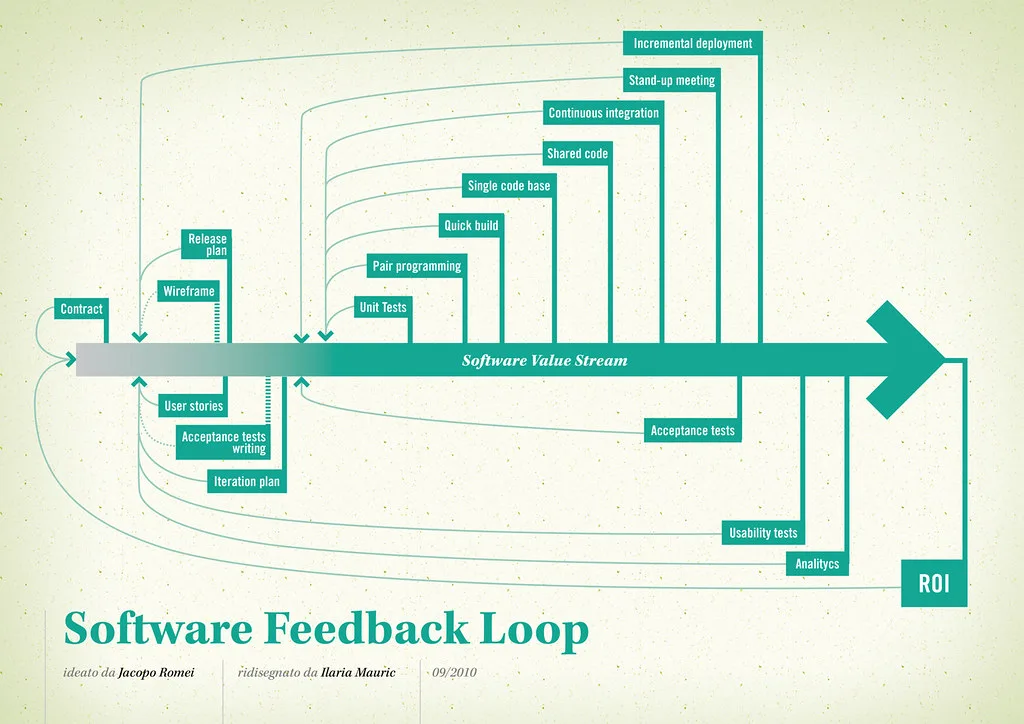
Cover image: Software value feedback loop by jakuza, licensed under BY-SA 2.0 via Openverse.