Every finance team has now seen the invoice that ruins a Monday. A staging environment nobody shut down, a forgotten NAT gateway quietly billing $32 a day, a "temporary" GPU instance that ran for three weeks. The cloud is elastic, but so is your bill, and it stretches in exactly one direction unless someone is watching.
Here is the surprising part: Flexera's 2024 State of the Cloud report pegs wasted cloud spend at roughly 27% to 32% of total invoices for most mid-sized companies. That is not a rounding error. On a $500,000 annual AWS bill, you are lighting somewhere between $135,000 and $160,000 on fire every year, mostly on idle resources, oversized instances, and untagged mystery workloads that no engineer will claim.
This article compares the cloud cost governance tools worth your attention going into 2026, from the free native dashboards to the paid FinOps platforms. You will get a real worked example with numbers, a side-by-side comparison table, and a practical rollout plan you can start this week. No vendor cheerleading, just what actually moves the number down.
Key Takeaways
- Tagging is the foundation. No governance tool works well until 90%+ of your resources carry consistent cost-allocation tags.
- Native tools (AWS Cost Explorer, Azure Cost Management) are free and enough to start. Move to paid platforms only when multi-cloud complexity justifies the license.
- Rightsizing and idle cleanup deliver the fastest ROI — typically 15% to 25% savings in the first 90 days with zero performance risk.
- Reserved capacity and Savings Plans add another 20% to 40% on stable workloads, but only after you understand your baseline.
- Governance is a habit, not a purchase. Budgets, alerts, and anomaly detection prevent the next surprise better than any dashboard review.
What Are Cloud Cost Governance Tools, Exactly?
Cloud cost governance tools are software platforms that give you visibility into what your cloud is costing, attribute those costs to teams or projects, and enforce policies to keep spend under control. Think of them as the difference between glancing at your bank balance once a month and actually running a household budget.
They typically do four jobs:
- Visibility — breaking a single opaque invoice into per-team, per-service, per-project costs.
- Allocation — mapping spend to cost centers using tags and account structure so you know who is spending.
- Optimization — recommending rightsizing, idle resource removal, and commitment discounts.
- Governance — enforcing budgets, sending alerts, and flagging anomalies before they compound.
The category overlaps with what the industry now calls FinOps — a practice of shared financial accountability between engineering and finance. The tool is just the enabler. The discipline is what saves money.
The Contenders: Native vs. Third-Party Platforms
Broadly there are two camps. The cloud providers ship their own free tooling, and a healthy ecosystem of independent vendors layers on smarter analytics and multi-cloud support.
Native provider tools
- AWS Cost Explorer + AWS Budgets + Cost Anomaly Detection — free, deeply integrated, good enough for most single-cloud AWS shops.
- Azure Cost Management + Billing — solid, includes Advisor recommendations, exports to Power BI.
- Google Cloud Billing + Recommender — clean UI, strong BigQuery export for custom analysis.
Third-party FinOps platforms
- CloudHealth (by Broadcom) — enterprise heavyweight, strong policy engine, priced for large orgs.
- Apptio Cloudability — excellent allocation and forecasting, popular with finance teams.
- Vantage — modern, developer-friendly, fair pricing, good for startups and scale-ups.
- Kubecost / OpenCost — the go-to for Kubernetes cost allocation; OpenCost is open source and free.
- Infracost — shifts cost estimates left into your Terraform pull requests, so you see the price before you deploy.
Cloud Cost Governance Tools Compared
Here is how the main options stack up on the criteria that actually matter when you are choosing. I have used or trialed each of these; the ratings reflect real day-to-day experience, not spec sheets.
| Tool | Multi-Cloud | Rightsizing | Anomaly Alerts | K8s Costs | Starting Price |
|---|---|---|---|---|---|
| AWS Cost Explorer | No (AWS only) | Basic | Yes (free) | Limited | Free |
| Azure Cost Management | No (Azure only) | Good (Advisor) | Yes | Limited | Free |
| Vantage | Yes | Good | Yes | Good | ~$30/mo tier |
| Apptio Cloudability | Yes | Excellent | Yes | Good | Enterprise (quote) |
| Kubecost / OpenCost | Yes (K8s) | Excellent (pods) | Yes | Excellent | Free / open source |
My honest read: if you run a single cloud and spend under about $30,000 a month, the native tools are all you need. Once you go multi-cloud or cross the $50,000/month line, a platform like Vantage or Cloudability pays for itself within a quarter. If Kubernetes is a big chunk of your footprint, add OpenCost regardless — pod-level attribution is something the native billing consoles handle poorly.
A Worked Example: Cutting a $42,000 Monthly Bill
Let me make this concrete. Say you run a SaaS product on AWS. Last month's bill came in at $42,000. Here is how a typical breakdown looks and where the fat usually hides.
- EC2 compute: $21,000
- RDS databases: $8,000
- S3 + data transfer: $6,500
- Load balancers, NAT, misc: $4,000
- Everything untagged / unknown: $2,500
Now walk through the optimization passes in order of effort-to-reward:
- Kill idle resources. Cost Explorer's resource-level view flags 6 EC2 instances at under 3% average CPU and 4 unattached EBS volumes. Terminating them saves $2,100/month.
- Rightsize the oversized. AWS Compute Optimizer recommends downsizing 9 instances from
m5.2xlargetom5.xlargebased on 30-day utilization. Savings: $3,400/month with no measurable latency change. - Fix the NAT gateway waste. One environment routes all S3 traffic through a NAT gateway instead of a free VPC endpoint. Adding the endpoint saves $900/month in data processing charges.
- Move cold S3 data to Glacier. Lifecycle rules push 40TB of logs older than 90 days to cheaper storage. Savings: $700/month.
- Buy Savings Plans on the stable baseline. After cleanup, the steady-state compute baseline is clear. A 1-year Compute Savings Plan at 40% coverage trims another $4,200/month.
Add it up: $11,300/month, or about 27% off the original bill. Annualized, that is roughly $135,000. None of it required re-architecting anything. This is why governance tooling earns its keep — the recommendations were already sitting in free dashboards, waiting for someone to act.
How to Roll Out Cloud Cost Governance in 30 Days
Buying a tool is easy. Building the habit is the real work. Here is a pragmatic four-week plan.
Week 1: Get your tagging house in order
- Define a minimal tag schema:
team,environment,project,owner. Four tags, no more, to start. - Turn on cost allocation tags in your billing console so they show up in reports.
- Run a tag coverage report. Aim to get above 90% coverage before you trust any allocation numbers.
- Use tag policies (AWS Organizations SCPs or Azure Policy) to reject untagged resource creation going forward.
Week 2: Turn on visibility and alerts
- Enable Cost Anomaly Detection (AWS) or its equivalent. Set the alert threshold to something meaningful, like a 20% day-over-day jump.
- Create budgets per team or environment with alerts at 80% and 100% of forecast.
- Set up a weekly cost digest that lands in your team's Slack or email. Visibility that nobody sees changes nothing.
Week 3: Harvest the quick wins
- Run the optimization recommendations (Compute Optimizer, Azure Advisor, GCP Recommender).
- Terminate idle resources and unattached volumes. Snapshot first if you are nervous.
- Apply storage lifecycle rules for logs and backups.
- Fix networking waste: VPC endpoints, cross-AZ traffic, orphaned load balancers.
Week 4: Commit and codify
- Analyze your post-cleanup baseline and purchase Savings Plans or Reserved Instances at a conservative coverage level, say 40% to 60%.
-
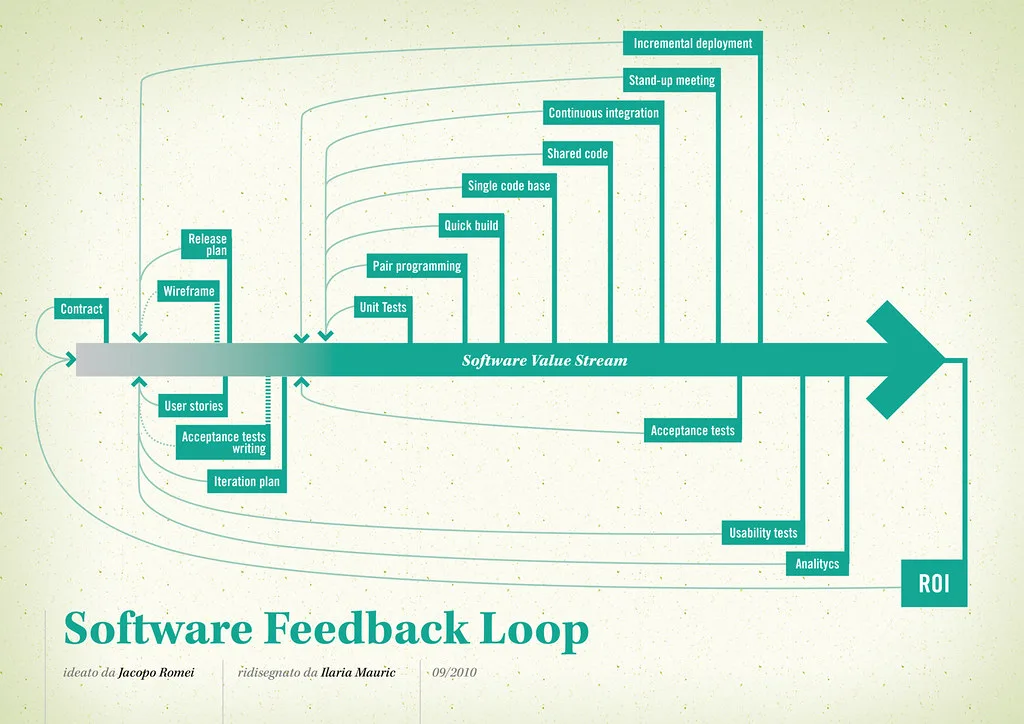
Cover image: Software value feedback loop by jakuza, licensed under BY-SA 2.0 via Openverse.